

Windows PCs slow down for a handful of predictable reasons: programs that launch at startup and stay running, gigabytes of temporary files, apps that were uninstalled but left their files and services behind, out-of-date drivers and a drive that is nearly full. Windows has built-in tools for some of this, but they are scattered across Settings, Task Manager and Disk Management. PC optimizer software puts the fixes in one place and automates them. Not every tool is worth paying for — and some claims in this category, especially around registry cleaning, deserve skepticism — so this guide focuses on what each tool actually does well. These are the five we recommend in 2026, each for a different job.
Reviews Universe is reader-supported. When you buy through links on our site, we may earn an affiliate commission at no extra cost to you.
Our Top Picks
| Product | Price | Buy |
|---|---|---|
 Glary Utilities Best Overall |
Free / $39.95/yr | Check Price |
 IObit Advanced SystemCare Best Value All-in-One |
Free / ~$17-20/yr | Check Price |
 Revo Uninstaller Best for Removing Bloat |
Free / $24.95 | Check Price |
 Driver Easy Best Driver Updater |
$29.95/yr | Check Price |
 AOMEI Partition Assistant Best for Disks and SSD Upgrades |
Free / $69.95 | Check Price |
What a PC Optimizer Can (and Can’t) Do
The biggest real-world gains come from three things: stopping unnecessary programs from launching at startup, clearing out large amounts of junk and leftover files when a drive is nearly full, and removing software you no longer use. Every tool in this list does at least one of those well.
Be wary of anything that promises to make your PC “2x faster.” Registry cleaning in particular rarely produces a noticeable speed improvement on a modern Windows 10 or 11 PC; at best it removes leftover entries after uninstalls. If a tool offers to clean the registry, make sure it creates a backup or restore point first — all of the tools below do. And if your PC is slow because it has 4 GB of RAM or an old hard drive, no software will fix that; moving Windows to an SSD (see AOMEI Partition Assistant below) will make a far bigger difference.
1. Glary Utilities — Best Overall
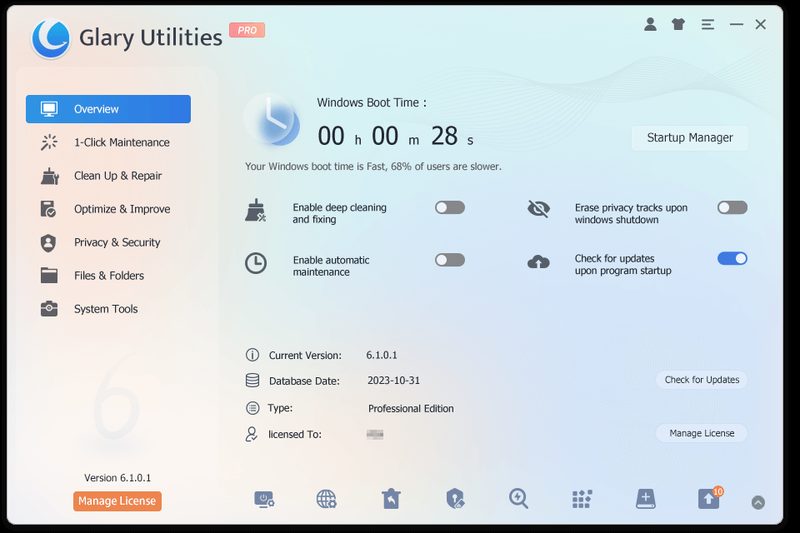
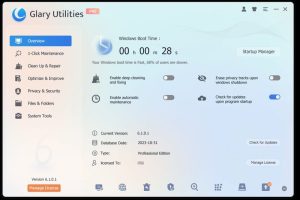
Glary Utilities is the most complete maintenance toolkit for the money, and its free version is generous enough that many people never need to upgrade. It bundles more than 20 tools behind a 1-Click Maintenance button: a disk cleaner, a startup manager, a context menu manager, an uninstall manager, a tracks eraser for browser and Windows history, a disk space analyzer, a duplicate file finder, an empty folder finder, file shredding and file undelete, and a driver and process manager. A Restore Center lets you undo changes. Version 6.48 came out on September 21, 2026.
The free version covers manual cleanup. Glary Utilities Pro adds Deep Dive Cleanup (a more thorough scan), Automated Maintenance that runs on a schedule and erases usage traces on shutdown, automatic updates and official technical support. It costs $39.95 a year for up to three PCs and comes with a 30-day trial and a 90-day money-back guarantee — the longest refund period in this list. TechRadar, which rated it 4 out of 5, called it a suite you will return to time and again, while noting the interface looks dated.
Two cautions. Glary sells Pro as a yearly subscription, and some users on Trustpilot have complained about auto-renewal and cancellation, so note your renewal date. And older reviews reported bundled offers in the free installer; Glarysoft now advertises its download as having no bundles, but it is worth choosing the custom install option and reading each screen.
Pros
- 20+ maintenance tools, most of them free
- Startup manager and disk space analyzer are genuinely useful
- Duplicate file finder, file shredder and file undelete included
- Restore Center to undo changes
- Pro covers 3 PCs for $39.95 a year
- 90-day money-back guarantee
Cons
- Dated interface
- Pro is subscription-only, no lifetime option
- Auto-renewal complaints from some users
- Registry cleaning offers little real speed gain
2. IObit Advanced SystemCare — Best Value All-in-One
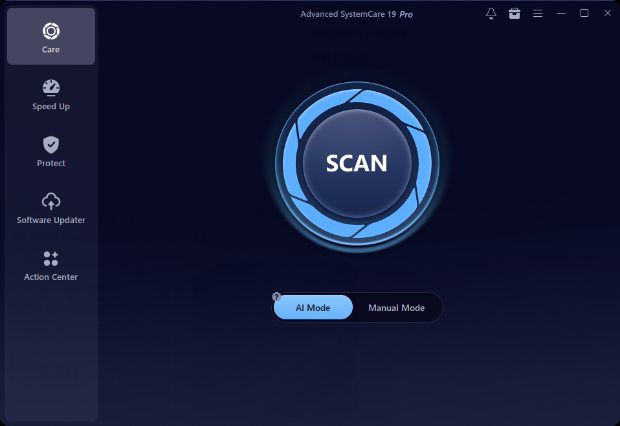
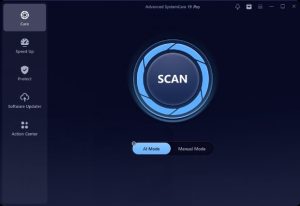
IObit’s Advanced SystemCare is the most feature-packed optimizer here and usually the cheapest to upgrade. Version 19 combines junk and registry cleaning, a startup optimizer, RAM release, an internet booster and browser cleaning with privacy and security features: email link protection, browser and DNS protection, and in Pro, Safe Folder ransomware protection for chosen folders, anti-tracking and fingerprint masking, and a one-click updater for outdated software. The Ultimate edition adds real-time antivirus built on Bitdefender’s engine.
Pro typically sells for about $17 to $20 a year (a 3-PC plan was $19.99 at the time of writing), with a 60-day money-back guarantee; IObit’s crossed-out “original” prices have stayed the same for years, so ignore the discount percentages. TechRadar rated Advanced SystemCare Ultimate 4.5 out of 5 for being cheap, easy to use and protective.
The downsides are IObit’s sales tactics. The software and website push other IObit products, the site runs near-permanent countdown sales, and IObit has a controversial history: in 2009 Malwarebytes accused it of copying its malware database, and in 2017 Malwarebytes flagged Advanced SystemCare as a potentially unwanted program, which IObit disputed. If you can ignore the upsells, it is a lot of tools for very little money.
Pros
- Most features of any optimizer here
- Very cheap Pro plans, often under $20 a year
- Safe Folder ransomware protection and anti-tracking in Pro
- Ultimate edition adds a Bitdefender-based antivirus
- Free version for basic cleanup
- 60-day money-back guarantee
Cons
- Constant upselling of other IObit products
- High-pressure sales pages with permanent “discounts”
- Past disputes with Malwarebytes
- Speed-boost claims are overstated
3. Revo Uninstaller — Best for Removing Bloat
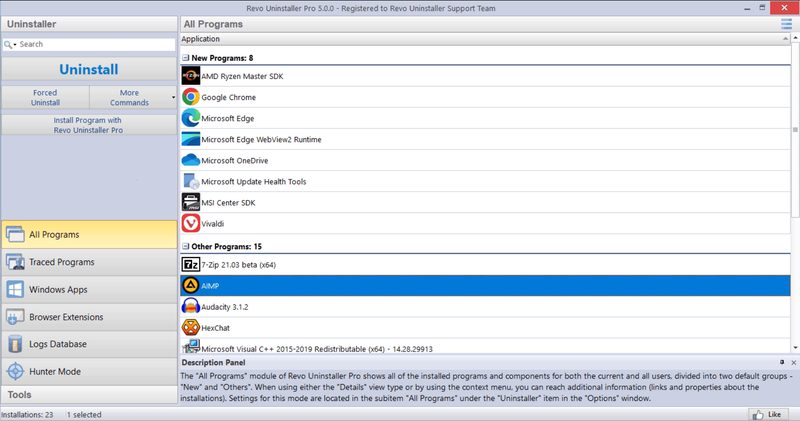
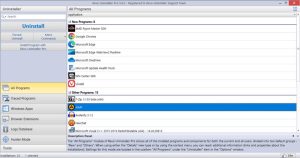
Removing programs you no longer use is one of the most effective ways to speed up a PC, and Revo Uninstaller does it more thoroughly than Windows. It runs each program’s own uninstaller, then scans for leftover files, folders and registry entries and lets you delete them. Hunter Mode lets you drag a target onto any window, desktop icon or tray icon to uninstall that program or stop it from starting with Windows. It also removes Microsoft Store apps and includes eight cleaning tools, among them an autorun manager, junk file cleaner and browser history cleaner.
The free version handles standard uninstalls with leftover scanning. Revo Uninstaller Pro adds forced uninstall for programs whose uninstaller is broken or missing, uninstalling several programs in one go, deeper leftover scanning, browser extension removal, real-time installation monitoring that logs exactly what a program changes, a database of logs for popular programs, and a multi-level backup system. Pro costs $24.95 for one PC with a year of updates — you keep using it after that — or $39.95 with two years, and there is a 30-day trial and a 60-day money-back guarantee. The Pro Portable edition ($29.95) is licensed per user and runs from a USB stick on any number of PCs, which makes it popular with technicians.
Revo is made by VS Revo Group, a Bulgarian developer founded in 2007. Pro 5.5.4 came out on September 23, 2026. Windows Report rated Pro 7.5 out of 10 and warned that leftover removal should be used with care, since deleting the wrong item can remove data you need — Revo’s backups make this recoverable.
Pros
- Most thorough leftover cleanup after uninstalls
- Forced uninstall for broken programs (Pro)
- Hunter Mode for removing tray and startup programs
- Real-time install monitoring for precise removal
- License keeps working after the update period ends
- Portable edition for unlimited PCs
Cons
- Batch and forced uninstall are Pro-only
- Leftover deletion needs care
- Interface is functional rather than modern
4. Driver Easy — Best Driver Updater
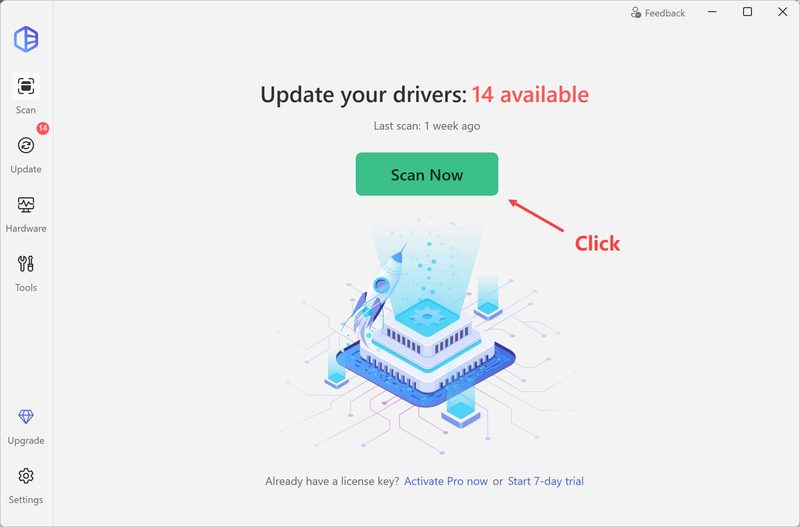
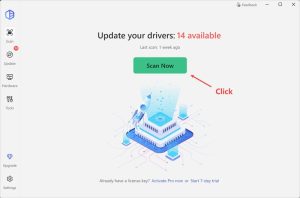
Out-of-date drivers are rarely the cause of a slow PC, but they are a common cause of Wi-Fi drops, audio problems, display glitches and crashes. Driver Easy scans for missing, outdated and mismatched drivers and updates them all with one click from a database the company says contains more than 30 million drivers. On Windows 10 and 11 it installs only drivers certified through Microsoft’s WHQL program, according to Easeware, and it creates a restore point first.
Its best feature for troubleshooting is the offline scan: if your PC has no working network driver, Driver Easy can scan it offline and you download the right driver on another computer. Version 7.2.0, announced in September 2026, adds a Driver Recovery tool that backs up drivers before updating and lets you roll back. It also backs up, restores and uninstalls drivers, scans for missing game components such as DirectX and Visual C++, and shows hardware information.
Note that Driver Easy dropped its free version in May 2024. You can scan for free, but installing drivers requires the 7-day trial or a subscription. The annual plan costs $29.95 for one PC (a 3-PC plan was on promotion for the same price at the time of writing), while the trial converts to $39.95 a year if you do not cancel — so buy directly if you intend to keep it. There is a 30-day money-back guarantee.
Pros
- One-click update of all drivers
- Offline scan fixes PCs with no network driver
- WHQL-certified drivers on Windows 10 and 11 (vendor policy)
- Driver backup, restore and rollback
- Clean, focused interface without upsells
Cons
- No free version since 2024, only a 7-day trial
- Trial renews at $39.95, more than buying directly
- Subscription only
- x64 PCs only; no ARM or Windows S mode
5. AOMEI Partition Assistant — Best for Disks and SSD Upgrades
If your PC still boots from a hard drive, the single most effective upgrade is moving Windows to an SSD, and AOMEI Partition Assistant is one of the easiest ways to do it. The Professional edition can migrate your operating system to a new SSD or clone the whole system disk, then boot from it, without reinstalling Windows. It also resizes, moves, merges and splits partitions, converts a system disk between MBR and GPT (useful for Windows 11 upgrades), moves installed apps to another drive to free up space on C:, and creates bootable rescue media.
The free Standard edition is a capable partition manager for home use: resize, move, merge, create and format partitions, clone data disks, check disk health and temperature, and free up space with junk, large file and duplicate file cleaners. Version 10.12.1 came out on August 31, 2026.
Professional costs $49.95 a year or $69.95 for a lifetime license for two PCs, and a Family lifetime license covering five PCs is $89.95; AOMEI sometimes discounts the lifetime license further. There is a 90-day money-back guarantee. The Pro demo only simulates operations, so you cannot test a real migration before paying. AOMEI is registered in Hong Kong and has been making disk tools since 2009; its Trustpilot rating is 4.9 out of 5 from more than 3,000 reviews.
Pros
- Migrates Windows to an SSD without reinstalling
- Free edition is a full partition manager for home use
- Moves apps off a full C: drive
- Lifetime license option from $69.95
- 90-day money-back guarantee
Cons
- OS migration and system-disk clone are Pro-only
- Demo cannot apply changes
- Free edition is for home use only
Side-by-Side Comparison
| Glary Utilities | Advanced SystemCare | Revo Uninstaller | Driver Easy | AOMEI Partition Assistant | |
|---|---|---|---|---|---|
| Main job | All-round cleanup | Cleanup + security | Uninstalling | Driver updates | Disks and SSD migration |
| Free version | Yes | Yes | Yes | Scan only (7-day trial) | Yes (home use) |
| Paid price | $39.95/yr (3 PCs) | ~$17-20/yr | $24.95 (1 yr updates) | $29.95/yr | $69.95 lifetime (2 PCs) |
| Lifetime option | No | No | Yes (use) | No | Yes |
| Money-back guarantee | 90 days | 60 days | 60 days | 30 days | 90 days |
| Developer based in | Hong Kong (registered) | Hong Kong (registered) | Bulgaria | China (operations) | Hong Kong |
How to Choose a PC Optimizer
Start with the problem you have. A full drive calls for a cleaner and a disk space analyzer (Glary, Advanced SystemCare, AOMEI’s free cleaners). Slow startup calls for a startup manager. Hardware that misbehaves calls for a driver updater. A slow hard drive calls for an SSD and a migration tool. Buying one all-in-one suite for everything is fine, but specialist tools usually do their one job better.
Try the free version first. Four of the five tools here have a free edition, and the fifth has a trial. Pay only for the specific Pro feature you need, such as scheduled maintenance, forced uninstall or OS migration.
Check how you are billed. Most PC utilities are now yearly subscriptions that renew automatically. Revo and AOMEI are exceptions with licenses that keep working. Note renewal dates and use the money-back guarantee if a tool does not help.
Make sure it can undo its changes. Restore points and backups matter more than any speed claim. All five tools here offer them.
Use Windows’ own tools too. Storage Sense, the Startup apps page in Settings and Windows Update already handle part of the job for free; a good optimizer makes them easier and adds what they miss.
Frequently Asked Questions
Do PC optimizers actually work?
The useful parts do: disabling startup programs, removing junk and leftover files, uninstalling unused software and keeping drivers current can make a noticeable difference, especially on an older or cluttered PC. Claims of doubling your PC’s speed are overstated, and registry cleaning alone rarely produces a measurable improvement on Windows 10 or 11.
What is the best free PC optimizer?
Glary Utilities has the most capable free version, with more than 20 tools including a disk cleaner, startup manager, uninstall manager and duplicate file finder. Revo Uninstaller Free is the best free uninstaller, and AOMEI Partition Assistant Standard is a free partition manager for home use.
Is it safe to use a registry cleaner?
Reputable tools such as Glary Utilities and Advanced SystemCare back up the registry or create a restore point before making changes, so problems can be undone. The benefit is small on modern Windows, so there is little reason to clean the registry aggressively. Always keep the backup option turned on.
Is Driver Easy free?
No longer. Driver Easy discontinued its free version in May 2024. You can scan your PC for free, but installing drivers requires a 7-day trial or a paid plan, which costs $29.95 a year for one PC when bought directly.
Is IObit Advanced SystemCare safe?
It is a legitimate, widely used program, and TechRadar rated the Ultimate edition 4.5 out of 5. IObit has drawn criticism for aggressive upselling and had disputes with Malwarebytes in 2009 and 2017. Download it only from iobit.com and read each installer screen.
Will a PC optimizer speed up an old laptop?
It can help by reducing startup programs and freeing disk space, but the biggest improvement for an old laptop with a hard drive is replacing it with an SSD. A tool like AOMEI Partition Assistant Professional can move Windows to the new drive without reinstalling.
Final Verdict
Glary Utilities is the best PC optimizer for most people. Its free version covers the cleanup and startup tools that actually make a difference, and Pro adds scheduled maintenance for three PCs at $39.95 a year with a 90-day guarantee.
Choose Advanced SystemCare if you want the most features and some security tools for the lowest price and can tolerate the upsells. Add Revo Uninstaller to clean out unwanted software properly, Driver Easy if you need to fix hardware and driver problems, and AOMEI Partition Assistant if you are moving to an SSD — the upgrade that will speed up an old PC more than any software.
If your PC is overheating rather than slow, see our guide to the best laptop cooling pads.