

With dozens of AI coding assistants available in 2026 — from free GitHub Copilot to $40/month enterprise tools — picking the right one isn’t straightforward. The best tool for a solo freelancer looks nothing like the best tool for a 50-person engineering team. This guide breaks down the seven factors that actually matter when choosing an AI coding assistant.
Reviews Universe is reader-supported. When you buy through links on our site, we may earn an affiliate commission at no extra cost to you.
In a hurry? Check our Best Free AI Coding Assistants 2026 roundup for specific product recommendations.
1. Pricing Model and Cost-Effectiveness

AI coding assistants fall into three pricing tiers in 2026, and understanding the landscape saves you from overpaying — or underpaying and hitting frustrating limits.
Free Tiers
GitHub Copilot Free (2,000 completions/month), Google Gemini Code Assist (180,000 completions/month), and open-source tools like Continue.dev and Cline cost nothing. Free tiers are genuinely capable in 2026 — the models powering them are the same as the paid versions. The limits are on usage volume, not quality.
Mid-Range: $10-20/month
This is where most individual developers land. GitHub Copilot ($10/mo), Windsurf Pro ($15/mo), and similar tools remove usage caps and add features like agent mode, multi-file editing, and priority model access. For developers coding daily, the productivity gain typically justifies the cost within the first week.
Premium: $20-40/month
Cursor Pro ($20/mo), Claude Code, and enterprise tiers unlock the most powerful models, unlimited agent interactions, and advanced features like codebase-wide refactoring. These make sense for professional developers working on complex projects.
Usage-Based vs. Flat Rate
Some tools (Cline, Continue.dev with API keys) charge per API call instead of a monthly fee. This can be cheaper for light users but unpredictable for heavy ones. The average developer in 2026 uses 2.3 AI coding tools — usually a free tool for autocomplete and a paid tool for complex tasks. Factor that into your budget.
2. Context Window and Codebase Understanding

The context window — how much code the AI can “see” at once — is the single biggest differentiator between tools in 2026. A larger context window means better suggestions because the AI understands more of your project.
Single-File vs. Full-Project Indexing
Basic tools work file-by-file: they see only the file you’re editing and maybe a few related imports. Advanced tools index your entire project, understanding how files relate, where functions are called, and how data flows across modules. The difference is dramatic — single-file tools suggest syntactically correct code that may not fit your architecture, while project-aware tools suggest code that actually integrates with your existing patterns.
Architectural Reasoning
The best tools in 2026 go beyond pattern matching. They understand design patterns, recognize anti-patterns, and suggest refactoring that aligns with your project’s architecture. When evaluating a tool, try giving it a task that spans multiple files — like “add a new API endpoint with validation, database query, and tests.” The quality gap between tools becomes obvious.
What to Look For
Ask these questions when evaluating context capabilities:
- Does the tool index your entire repository or just open files?
- Can it reference code in files you haven’t opened?
- Does it understand your project’s dependency graph?
- Can it reason about your test files when writing implementation code?
3. IDE Integration and Workflow Fit
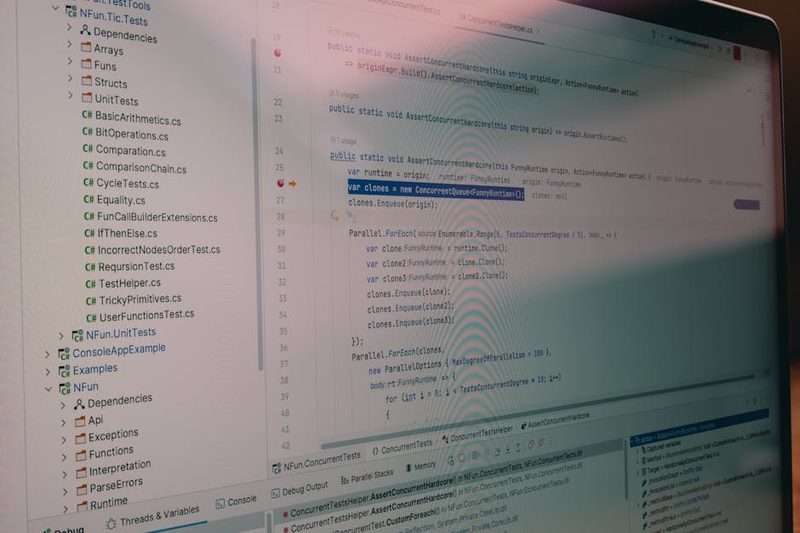
The best AI coding assistant is the one that fits into your existing workflow — not one that forces you to change it. IDE support varies dramatically across tools.
VS Code
VS Code has the broadest tool support. Nearly every AI coding assistant works with VS Code, either natively or through extensions. If you’re a VS Code user, you have the most options and the least friction.
JetBrains (IntelliJ, PyCharm, WebStorm)
JetBrains IDE support is growing but still trails VS Code. GitHub Copilot, Gemini Code Assist, and Continue.dev all have JetBrains plugins. Some tools like Cline are VS Code-only. If you’re invested in JetBrains, check compatibility before committing to a tool.
Neovim and Terminal
Terminal-first developers have fewer but powerful options. Copilot has a Neovim plugin, Continue.dev supports Neovim, and CLI tools like Claude Code work entirely in the terminal. The terminal workflow is different from IDE-based tools — more chat-driven and agent-based, less inline autocomplete.
Standalone Editors
Tools like Cursor and Windsurf are standalone editors (VS Code forks with AI built in). They offer the tightest AI integration but require switching from your current editor. This is a real cost — muscle memory, custom keybindings, and extension ecosystems don’t transfer perfectly.
Switching Cost
Don’t underestimate the friction of changing tools. A marginally better AI assistant that disrupts your workflow can reduce net productivity. Start with tools that integrate into your current setup, then consider standalone options only if the productivity gain clearly outweighs the switching cost.
4. Agent Autonomy Level

AI coding tools exist on a spectrum from passive to fully autonomous. Understanding where each tool sits helps you pick the right one for your comfort level and use case.
Level 1: Autocomplete
The simplest form — the AI predicts the next few tokens as you type. Fast, low-risk, and useful for boilerplate. Think of it as an upgraded IntelliSense. Most free tiers focus here.
Level 2: Chat and Suggestions
You ask the AI questions, and it suggests code changes that you manually apply. This is the “copilot” model — the AI advises, you decide. GitHub Copilot’s chat and Gemini Code Assist’s Q&A operate at this level.
Level 3: Inline Agents
The AI edits code directly in your files, but you approve each change. Cursor’s Composer and Windsurf’s Cascade work this way — they propose multi-file edits that you review and accept or reject. More powerful, but requires trust.
Level 4: Autonomous Agents
The AI independently plans, writes code, runs commands, tests, and iterates. Cline, Claude Code, and similar tools operate here. You give a high-level task, and the agent handles the implementation — asking for your approval at key checkpoints.
The Trust Spectrum
Higher autonomy means faster output but more risk. An autonomous agent can implement a feature in minutes but might make architectural decisions you’d disagree with. Our recommendation: start at Level 2-3 and graduate to Level 4 as you build trust with the tool on your specific codebase. The time you spend reviewing agent output counts against your productivity gains.
5. Privacy and Security

Your code is your intellectual property (or your employer’s). Understanding what happens to it when you use an AI coding tool is not optional — it’s a business requirement.
Code Telemetry
Most cloud-based tools send your code to external servers for processing. This means your source code, variable names, comments, and potentially secrets pass through third-party infrastructure. Read the privacy policy carefully — some tools explicitly state they don’t train on your code, while others are vague.
Cloud vs. Local Processing
Cloud-based tools (Copilot, Gemini, Cursor) process code on their servers. Local tools (Continue.dev with Ollama, Cline with local models) process everything on your machine. The trade-off is clear: cloud tools offer better model quality, local tools offer complete data sovereignty. Some tools offer a hybrid — cloud for complex tasks, local for autocomplete.
SOC 2 and Compliance
Enterprise teams should look for SOC 2 Type II certification, which means the vendor has been independently audited for data security practices. GitHub Copilot for Business, Cursor for Teams, and some others hold this certification. If your organization handles regulated data (healthcare, finance), compliance isn’t optional.
On-Premise Options
Some vendors offer on-premise deployments where the AI runs entirely within your infrastructure. This is the most secure option but typically the most expensive. Evaluate whether your security requirements genuinely need on-premise or whether a SOC 2-certified cloud solution is sufficient.
6. Model Flexibility

The AI model landscape is evolving faster than any individual tool can keep up with. Tools that lock you into a single model today may leave you behind tomorrow.
Multi-Model Support
Some tools let you switch between models for different tasks. Using a fast, cheap model for autocomplete and a powerful model for complex reasoning is a common pattern that balances speed and quality. Tools like Continue.dev, Cline, and Cursor support multiple model providers.
Bring-Your-Own-Key (BYOK)
BYOK tools let you connect your own API keys from providers like Anthropic, OpenAI, or Google. This gives you control over costs, model selection, and rate limits. The downside is managing API keys and billing across multiple providers.
Future-Proofing
A tool that supports only one model vendor is a risk. If that vendor’s model falls behind (and in the current pace of AI development, leadership changes quarterly), you’re stuck. Multi-model tools adapt as the landscape shifts. When evaluating tools, ask: “Can this tool use a different model six months from now without switching to a different product?”
7. Real-World Productivity

Benchmarks and demo videos don’t predict how a tool performs on YOUR codebase. The only reliable evaluation method is a structured trial on your actual projects.
Test on YOUR Codebase
Every AI coding assistant performs differently depending on the language, framework, and codebase complexity. A tool that excels at Python Django may struggle with Rust embedded systems. Run a one-week trial on your real work — not a toy project — before committing.
Time Saved vs. Time Reviewing
AI-generated code needs review. If a tool saves you 30 minutes of writing code but adds 20 minutes of reviewing and fixing its output, your net gain is only 10 minutes. Track both sides of the equation during your trial. The best tools minimize review time with code that matches your project’s patterns and conventions.
Measuring Productivity
Track these metrics during your evaluation:
- Acceptance rate: What percentage of AI suggestions do you actually use?
- Time to task completion: Are you finishing tasks faster with the tool?
- Bug introduction rate: Is the AI introducing bugs that you catch (or don’t catch) in review?
- Context switch frequency: Does the tool reduce or increase your need to look up documentation?
Common Mistakes to Avoid
Evaluating by Demo Videos
Every AI coding tool looks incredible in a curated demo. The tool always uses a clean codebase, a popular framework, and a straightforward task. Your reality involves legacy code, custom abstractions, and edge cases that demos never show. Always trial the tool on your own code.
Ignoring Workflow Friction
A tool that requires switching editors, changing keyboard shortcuts, or breaking your flow for every suggestion can actually slow you down. The 10% better model quality isn’t worth it if the tool adds 15% more friction to your workflow. Seamless integration matters more than raw capability.
Choosing by Hype
The AI tools space in 2026 moves fast, and social media hype cycles are shorter than your annual subscription. A tool that’s trending on Twitter this week may not be the best fit for your stack. Evaluate based on your specific requirements, not community excitement. The boring tool that works reliably on your codebase beats the exciting tool that’s impressive on demos.
Frequently Asked Questions
Should I use one AI coding tool or multiple?
Many developers use 2-3 tools for different purposes — for example, an inline autocomplete tool for daily coding and an autonomous agent for complex tasks. This is fine as long as the tools don’t conflict. If you notice multiple tools fighting over inline suggestions, disable one. Start with one tool, learn its limits, then add a second for the gaps.
How do I test an AI coding assistant properly?
Run a structured one-week trial on your actual codebase (not a demo project). Track acceptance rate, time to completion, and bugs introduced. Test across different task types: writing new code, debugging existing code, refactoring, and writing tests. Compare your productivity metrics against your baseline without the tool.
Are AI coding assistants safe for proprietary code?
It depends on the tool and your configuration. Cloud-based tools send code to external servers. Most major vendors (GitHub, Google, Anthropic) state they don’t train on your code, but your data does pass through their infrastructure. For maximum security, use local models (Continue.dev + Ollama) or tools with SOC 2 certification and enterprise data agreements.
Will AI replace developers?
No. AI coding assistants in 2026 are powerful productivity multipliers, but they don’t replace the judgment, architectural thinking, and domain knowledge that developers bring. They’re best understood as tools that handle routine coding faster, freeing you to focus on design decisions, complex problem-solving, and code review. The developers who learn to work effectively with AI tools will outperform those who don’t.
How often should I re-evaluate my AI coding tools?
Every 3-6 months. The AI tools landscape is evolving rapidly — what was the best tool six months ago may have been surpassed. Set a calendar reminder to review new releases, compare with your current setup, and run a short trial of any promising alternatives. The switching cost is real, so only switch if the improvement is significant.
Our Top Picks
Ready to choose a specific tool? We’ve done the in-depth testing so you don’t have to.
- Cursor vs GitHub Copilot 2026 — A head-to-head comparison of the two most popular paid AI coding assistants, covering speed, accuracy, agent capabilities, and pricing.
- 5 Best Free AI Coding Assistants 2026 — Our roundup of the best free tools, from GitHub Copilot Free to open-source agents like Cline and Continue.dev.
Use the seven factors in this guide to evaluate any tool against your specific needs. The best AI coding assistant is the one that makes you more productive on your codebase — not the one with the most impressive benchmark scores.