
QD-OLED finally stopped being a luxury in 2026. Two years ago a 27-inch quantum dot OLED panel cost well over $1,000; today the same size and refresh rate sells for around $500, and Samsung has pushed refresh rates to a genuinely absurd 500Hz. The reason to want one has not changed — OLED produces true black because each pixel switches itself off, which no backlit panel can imitate, and the 0.03 millisecond response time makes motion look clearer than any liquid crystal display — but the reason not to want one, the price, has largely evaporated. Here are the five QD-OLED gaming monitors worth buying right now, from a $500 entry point to a $1,099 flagship.
Reviews Universe is reader-supported. When you buy through links on our site, we may earn an affiliate commission at no extra cost to you.
| Product | Price | Buy |
|---|---|---|
 Samsung Odyssey OLED G6 (G60SF) Best Overall / Competitive |
$600 | Check Price |
 Alienware AW2725DF Best Value QD-OLED |
$500 | Check Price |
 MSI MAG 272UP QD-OLED X24 Best 4K Value |
$650 | Check Price |
 ASUS ROG PG27UCDM Best Premium 4K |
$1,099 | Check Price |
 Alienware AW3425DW Best Ultrawide |
$650 | Check Price |
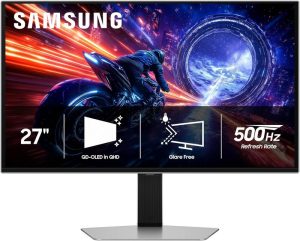
1. Samsung Odyssey OLED G6 (G60SF) — Best Overall ($600)
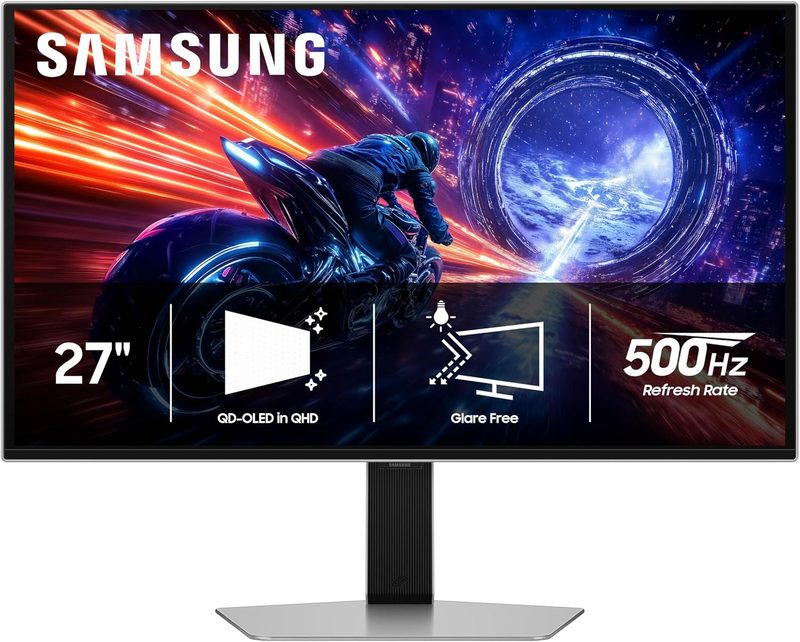
The Odyssey OLED G6 in its G60SF configuration is the most interesting gaming monitor released this year, because it is the first QD-OLED panel to hit a 500Hz refresh rate. That number sounds like specification theatre until you understand what it does: at 500Hz the display draws a new image every two milliseconds, which effectively eliminates the motion blur that even a very good 240Hz panel still produces during fast camera movement. For competitive first-person shooters, this is the clearest picture of a moving target you can currently buy.
The panel is 27 inches at QHD resolution — 2560 by 1440 — which is the correct pairing for this refresh rate. Driving 500 frames per second at 4K is beyond any consumer graphics card, but QHD at high frame rates is achievable in competitive titles on current hardware. Samsung has also applied a glare-free coating, which addresses one of the longest-standing complaints about QD-OLED panels in bright rooms.
Response time is 0.03 milliseconds grey-to-grey, the standard for QD-OLED and roughly thirty times faster than a good liquid crystal panel. It carries VESA DisplayHDR TrueBlack 500 certification, is NVIDIA G-Sync compatible for tear-free variable refresh, and is Pantone Validated for colour accuracy — a genuinely useful addition if you edit photos or video between gaming sessions. Samsung backs it with a three-year warranty, which matters on OLED given long-term burn-in concerns.
At around $600 on Amazon against an $799 list price, it is the best combination of cutting-edge specification and real-world value on this list.
Pros
- 500Hz refresh rate — the fastest QD-OLED panel currently available
- 0.03 millisecond grey-to-grey response time
- Glare-free coating addresses QD-OLED’s usual bright-room weakness
- VESA DisplayHDR TrueBlack 500 certification
- Pantone Validated for colour accuracy in creative work
- Three-year warranty, unusually generous for an OLED panel
- NVIDIA G-Sync compatible
Cons
- You need a very powerful graphics card to approach 500 frames per second
- QHD rather than 4K — less sharp than the 4K options here
- 500Hz is wasted on single-player and slower-paced games
- 27 inches may feel small if you are coming from an ultrawide
- Street price fluctuates significantly month to month
2. Alienware AW2725DF — Best Value QD-OLED ($500)

The AW2725DF is the monitor to buy if you want to find out what QD-OLED actually looks like without spending flagship money. At around $500 it is the cheapest genuinely good quantum dot OLED panel on this list, and the specification is not a compromise: 26.7 inches, QHD at 2560 by 1440, a 360Hz refresh rate, and the same 0.03 millisecond response time as panels costing twice as much.
360Hz is the sweet spot for most competitive players. It is a substantial jump over the 240Hz that dominated the last two years, and unlike 500Hz it is a frame rate that a mid-to-upper range graphics card can actually sustain in popular competitive titles. Spending less on the monitor and more on the graphics card driving it is usually the better system-building decision, and this monitor is built for exactly that trade-off.
Alienware includes AMD FreeSync Premium for variable refresh rate on Radeon cards, and the panel works fine with NVIDIA adaptive sync as well. The design is the familiar Alienware white-and-dark aesthetic, which people tend to either love or find slightly juvenile. Build quality is solid, the stand is properly adjustable, and Dell’s monitor warranty support has a strong reputation.
If your budget is fixed and you want the best picture-per-dollar in this category, this is the answer.
Pros
- Cheapest true QD-OLED panel worth buying at around $500
- 360Hz refresh rate is achievable on mid-to-upper range graphics cards
- Same 0.03 millisecond response time as far more expensive panels
- AMD FreeSync Premium with NVIDIA adaptive sync support
- Fully adjustable stand and solid build quality
- Strong Dell warranty support
Cons
- QHD resolution only — no 4K option at this price
- 26.7 inches is on the small side for a primary display
- Alienware styling is divisive
- Lower peak brightness than the premium options here
- No glare-free coating, so bright rooms are a problem
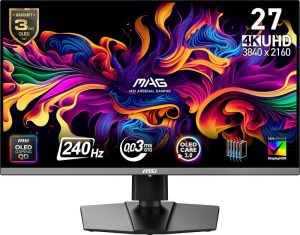
3. MSI MAG 272UP QD-OLED X24 — Best 4K Value ($650)

Until recently, a 27-inch 4K QD-OLED panel at 240Hz was a $1,100 proposition. The MSI MAG 272UP delivers exactly that specification for around $650, and it is the single clearest illustration of how far QD-OLED prices fell in 2026. You get 3840 by 2160 resolution at 240Hz with the standard 0.03 millisecond response time and DisplayHDR True Black certification.
4K at 27 inches produces a pixel density high enough that individual pixels become invisible at normal viewing distance, which matters more on OLED than on other panel types because QD-OLED subpixel layouts can produce visible colour fringing on text at lower densities. If you use your gaming monitor for work — reading documents, writing code, editing spreadsheets — 4K at 27 inches largely eliminates that problem while QHD at 27 inches does not.
240Hz is plenty for the overwhelming majority of players. The practical consideration is that driving 4K at 240 frames per second demands serious graphics hardware; in demanding modern titles you will more realistically land somewhere between 80 and 140 frames per second, with the high refresh headroom reserved for older or competitive games. That is not a criticism of the monitor, just a reminder to budget for the graphics card too.
MSI’s build quality in the MAG range is functional rather than luxurious, which is part of how the price gets here. The panel is the same class of component used in monitors costing considerably more.
Pros
- 4K resolution at 240Hz for around $650 — exceptional value
- High pixel density eliminates OLED text fringing concerns
- DisplayHDR True Black certification
- 0.03 millisecond response time
- Genuinely capable as both a gaming and a work display
Cons
- Driving 4K at 240 frames per second needs a high-end graphics card
- MAG-series build quality is functional rather than premium
- Fewer picture-tuning options than the ASUS flagship
- No proximity sensor or advanced burn-in mitigation features
- Stand adjustability is more limited than Alienware or ASUS
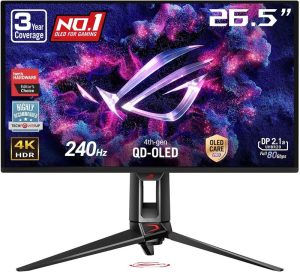
4. ASUS ROG PG27UCDM — Best Premium 4K ($1,099)

The ROG PG27UCDM matches the MSI on core specification — 27 inches, 4K, 240Hz, QD-OLED — and then spends the extra $450 on everything around the panel. The most important addition is a custom heatsink. Heat is the primary driver of OLED panel degradation over time, and active thermal management is the most meaningful thing a manufacturer can do to extend panel life. If you are worried about spending four figures on a display that might not last, this is where that money goes.
OLED Care Pro is the second layer of protection: a suite of burn-in mitigation features including pixel shifting, logo dimming, and automated panel refresh cycles. The Neo Proximity Sensor supports this by detecting when you have left your desk and dimming or blanking the screen automatically, which addresses the single most common cause of OLED burn-in — a static interface left on screen for hours while nobody is watching.
Picture quality is excellent, with more comprehensive calibration controls than any other monitor on this list and ASUS’s usual thorough on-screen display. Build quality is genuinely premium: a heavy, stable, fully adjustable stand and a chassis that feels worth the price.
Is it worth $450 more than the MSI for the same panel specification? If you keep monitors for five or more years, or you leave your machine running with static content on screen, the thermal management and burn-in mitigation are a rational insurance purchase. If you replace hardware every couple of years, they are not.
Pros
- Custom heatsink actively manages the heat that degrades OLED panels
- OLED Care Pro suite with pixel shifting and automated refresh cycles
- Neo Proximity Sensor blanks the screen when you leave your desk
- The most comprehensive calibration controls on this list
- Premium build quality with a heavy, fully adjustable stand
- 4K at 240Hz with 0.03 millisecond response
Cons
- $1,099 is $450 more than the MSI for the same core panel specification
- Overkill unless you plan to keep the monitor many years
- Still needs a high-end graphics card to exploit 4K at 240Hz
- Large and heavy — check your desk depth
- ROG styling is as assertive as Alienware’s
5. Alienware AW3425DW — Best Ultrawide ($650)
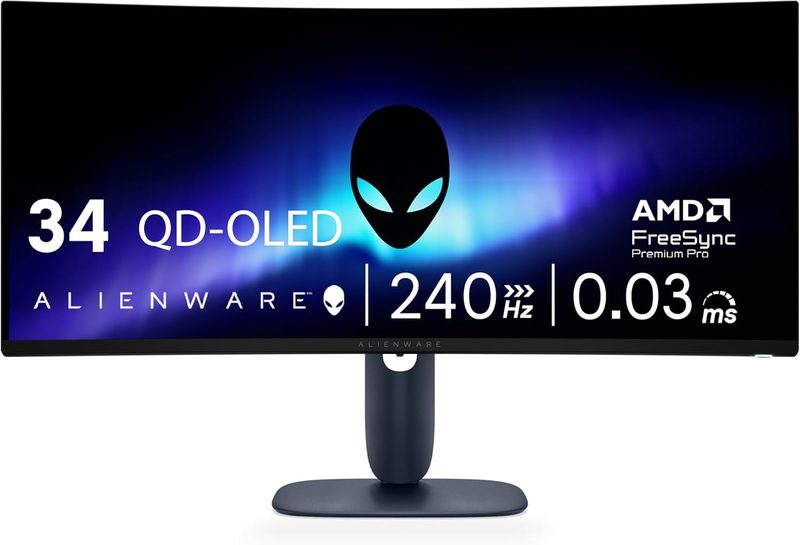
Ultrawide is a different proposition rather than a better one. The AW3425DW is 34.2 inches across at 3440 by 1440 with an 1800R curve, running at 240Hz with the usual 0.03 millisecond QD-OLED response. What you get for that geometry is peripheral vision: in racing, flight simulation, and open-world games, the extra horizontal space genuinely changes how immersive the experience feels in a way that no amount of refresh rate does.
The 1800R curve is the aggressive end of the range, meaning the screen wraps noticeably toward you at the edges. On a display this wide, that is correct — it keeps the far edges roughly equidistant from your eyes so the image stays sharp across its width. It also means this monitor is designed for a single seated position and looks distorted from off to the side.
240Hz on an ultrawide is a good match. 3440 by 1440 sits between QHD and 4K in pixel count, so a strong mid-range or upper-range graphics card can push high frame rates in most titles. AMD FreeSync Premium handles variable refresh.
The trade-off worth understanding before you buy: competitive shooters often do not support ultrawide aspect ratios properly, and where they do, some tournament rulesets restrict them. If competitive play is your priority, buy the Samsung. If you play racing simulators, flight simulators, strategy games, or story-driven open-world titles, this is a better monitor for you than anything else on this list.
Pros
- 34.2 inches of ultrawide 3440 by 1440 for genuine peripheral immersion
- 240Hz with 0.03 millisecond response — fast as well as wide
- 1800R curve keeps the edges sharp and equidistant
- 3440 by 1440 is easier to drive than 4K
- Excellent for racing, flight simulation, strategy and open-world games
- AMD FreeSync Premium with solid Dell warranty support
Cons
- Many competitive shooters handle ultrawide aspect ratios poorly
- Needs substantial desk depth and width
- The aggressive curve looks wrong from any off-centre position
- 240Hz rather than the 360Hz or 500Hz available on 16:9 panels
- Ultrawide is a poor fit for everyday office and document work
Side-by-Side Comparison
| Samsung G60SF | Alienware AW2725DF | MSI MAG 272UP | ASUS PG27UCDM | Alienware AW3425DW | |
|---|---|---|---|---|---|
| Price | $600 | $500 | $650 | $1,099 | $650 |
| Screen Size | 27 in | 26.7 in | 27 in | 27 in | 34.2 in |
| Resolution | 2560 x 1440 | 2560 x 1440 | 3840 x 2160 | 3840 x 2160 | 3440 x 1440 |
| Refresh Rate | 500Hz | 360Hz | 240Hz | 240Hz | 240Hz |
| Response Time | 0.03 ms | 0.03 ms | 0.03 ms | 0.03 ms | 0.03 ms |
| Panel | QD-OLED | QD-OLED | QD-OLED | QD-OLED | QD-OLED |
| Curve | Flat | Flat | Flat | Flat | 1800R |
| Variable Refresh | G-Sync compatible | FreeSync Premium | Adaptive sync | G-Sync compatible | FreeSync Premium |
| Burn-in Mitigation | Standard | Standard | Standard | OLED Care Pro + heatsink | Standard |
| Glare-Free Coating | Yes | No | No | No | No |
| Best For | Competitive shooters | Budget buyers | 4K value | Long-term ownership | Immersion and simulation |
How to Choose a QD-OLED Gaming Monitor
What QD-OLED Actually Does Differently
In a conventional liquid crystal display, a backlight shines through pixels that block light to varying degrees. Black is therefore never truly black — it is a dimmed backlight leaking through. In an OLED panel, every pixel generates its own light and switches off completely for black, producing effectively infinite contrast. Quantum dot OLED adds a quantum dot layer that converts blue light into purer reds and greens, giving noticeably more saturated colour than earlier white OLED designs. The practical result is that dark scenes in games look genuinely dark rather than grey, and colours look richer at the same brightness.
Refresh Rate: How Much Do You Actually Need?
240Hz is the point of diminishing returns for most players, and every monitor on this list meets or exceeds it. 360Hz is a real improvement for competitive first-person shooters. 500Hz, as on the Samsung G60SF, is a meaningful advantage only if you play competitively at a level where two milliseconds of motion clarity affects outcomes — and only if your graphics card can produce frame rates high enough to use it. Buying 500Hz and then running at 90 frames per second wastes the monitor. Match the refresh rate to the frames your system can actually deliver.
Resolution: QHD or 4K?
QHD at 2560 by 1440 is easier to drive, which means higher frame rates from the same graphics card, and it is the right choice if competitive play is your priority. 4K at 3840 by 2160 is sharper, and at 27 inches the pixel density is high enough to eliminate the text fringing that QD-OLED subpixel layouts can produce — which matters if you also work on the monitor. Choose QHD for frames, 4K for detail and desktop use.
Burn-In: The Honest Answer
OLED burn-in is real but substantially overstated for gaming use. It occurs when static elements — a taskbar, a heads-up display, a channel logo — remain in the same position for thousands of hours. Modern panels mitigate this with pixel shifting, logo dimming, and automated refresh cycles, and monitors like the ASUS ROG PG27UCDM add heat management and proximity sensors on top. The practical advice: hide your taskbar, do not leave a static desktop displayed for hours, and check the warranty. Samsung’s three-year cover on the G60SF is a meaningful reassurance.
Brightness and Room Lighting
QD-OLED panels have historically struggled in bright rooms, both because peak full-screen brightness is lower than a good liquid crystal display and because the anti-reflective coating can make blacks look grey under direct light. If your desk faces a window, this is the single most important factor in your decision, and the Samsung G60SF is the only monitor here with a dedicated glare-free coating. Otherwise, plan to control the light in the room.
Match the Monitor to the Graphics Card
The most common mistake in this category is buying more monitor than the system can drive. 4K at 240Hz and QHD at 500Hz both demand high-end graphics hardware to approach their peak. If your graphics card is mid-range, the Alienware AW2725DF at $500 will give you a better overall experience than a $1,099 monitor running well below its capability — and leave budget for a card upgrade.
Frequently Asked Questions
Is a 500Hz gaming monitor actually worth it?
Only for competitive players with the hardware to use it. At 500Hz the display draws a new image every two milliseconds, which noticeably reduces motion blur during fast camera movement in first-person shooters. But you need a graphics card capable of producing frame rates near that number for the benefit to exist — running 90 frames per second on a 500Hz panel gains you almost nothing over 240Hz. For single-player and slower-paced games, 240Hz is entirely sufficient.
What is the difference between QD-OLED and regular OLED?
Both switch individual pixels off to produce true black. QD-OLED adds a quantum dot layer that converts blue light into purer reds and greens, producing more saturated colour and higher brightness than earlier white OLED designs that relied on colour filters. In practice QD-OLED panels are more vivid and slightly brighter. Their known weakness is that blacks can look greyish under direct ambient light, which is why glare-free coatings like the one on the Samsung Odyssey OLED G6 matter.
Should I worry about burn-in on an OLED gaming monitor?
Less than the internet suggests, but it is worth managing. Burn-in comes from static elements displayed in the same position for thousands of hours — taskbars, game heads-up displays, desktop icons. Modern monitors mitigate it with pixel shifting, logo dimming, and automated refresh cycles, and the ASUS ROG PG27UCDM adds a custom heatsink and a proximity sensor that blanks the screen when you step away. Auto-hide your taskbar, avoid leaving static images on screen for hours, and buy a monitor with a long warranty.
Is 4K or 1440p better for a gaming monitor in 2026?
It depends on your priority and your graphics card. QHD at 2560 by 1440 is much easier to drive, delivering substantially higher frame rates from the same hardware, which makes it the better choice for competitive gaming. 4K at 3840 by 2160 is sharper and, on a 27-inch panel, has high enough pixel density to eliminate the text fringing that QD-OLED subpixel layouts can cause — making it the better all-round choice if you also work on the monitor.
Why have QD-OLED monitor prices dropped so much?
Panel manufacturing capacity expanded significantly while more brands entered the market, and 2026 brought heavy competition across every size and refresh rate. A 32-inch 4K 240Hz QD-OLED panel that would have cost well over $1,000 two years ago can now be found for under $900, and 27-inch QHD panels start around $500. For buyers, this is the best moment yet to move from a liquid crystal display to OLED.
Do I need a special cable for a 500Hz or 4K 240Hz monitor?
Yes. High refresh rates at high resolutions require substantial bandwidth, so you need DisplayPort 2.1 or a recent HDMI standard, and a cable certified for that specification. Using an old or uncertified cable is one of the most common reasons people find their new monitor will not run at its advertised refresh rate. Use the cable supplied in the box, and check your graphics card’s output supports the required standard.
The Verdict: Which QD-OLED Monitor Should You Buy?
For most buyers, the Samsung Odyssey OLED G6 (G60SF) is the best QD-OLED gaming monitor of 2026. At around $600 it delivers the fastest panel available at 500Hz, the only glare-free coating on this list, Pantone-validated colour, and a three-year warranty that meaningfully reduces the risk of OLED ownership. It is the most complete package here.
Choose the Alienware AW2725DF at $500 if you want the cheapest route into QD-OLED and would rather spend the difference on a graphics card. The MSI MAG 272UP at $650 is the value pick for 4K at 240Hz and the best choice if you work on the same screen you game on. The ASUS ROG PG27UCDM at $1,099 justifies its premium through a custom heatsink and OLED Care Pro if you intend to keep the monitor for many years. And the Alienware AW3425DW at $650 is the one to buy for racing, flight simulation, and open-world immersion.
On a tighter budget, the Samsung Odyssey OLED G6 (G61SH) drops to 240Hz for around $450 while keeping the same QD-OLED panel technology — the cheapest entry point into this category worth considering.
One monitor to watch rather than buy: Dell’s Alienware AW3926QW, a 39-inch 5K2K tandem OLED ultrawide, went on sale at the very end of August 2026 at around $1,100 through Dell directly. It is not on Amazon yet, but it is the most ambitious ultrawide announced this year and worth waiting for if that form factor is what you want.