

The single biggest difference between a polished video call professional and a muddy webcam blob isn’t your camera — it’s your lighting. Even a $1,500 mirrorless looks bad when you’re backlit by a window or lit only by the cool blue glow of your monitor. A good ring light fixes 80% of bad-call complaints: it eliminates shadows under your eyes, smooths out skin tones, and makes your face the brightest, most flattering thing on the screen. And the entry price is just $25-$100.
Reviews Universe is reader-supported. When you buy through links on our site, we may earn an affiliate commission at no extra cost to you.
| Product | Price | Buy |
|---|---|---|
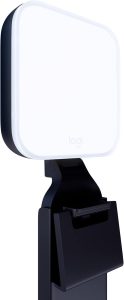 Logitech Litra Glow Best Overall Clip-On |
$60 | Check Price |
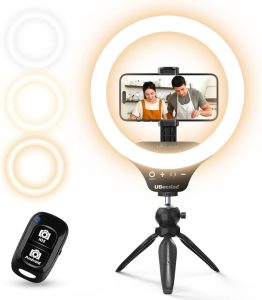 UBeesize 10″ Ring Light Best Budget |
$28 | Check Price |
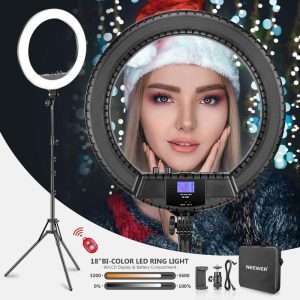 NEEWER 18″ Bi-Color Best Premium/Adjustable |
$85 | Check Price |
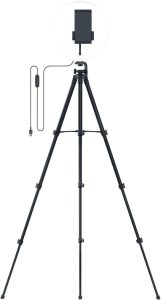 Razer Ring Light 12″ Best Desktop Stand |
$70 | Check Price |
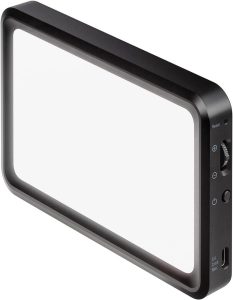 Elgato Key Light Mini Best for Laptops |
$99 | Check Price |
1. Logitech Litra Glow — Best Overall Clip-On ($60)
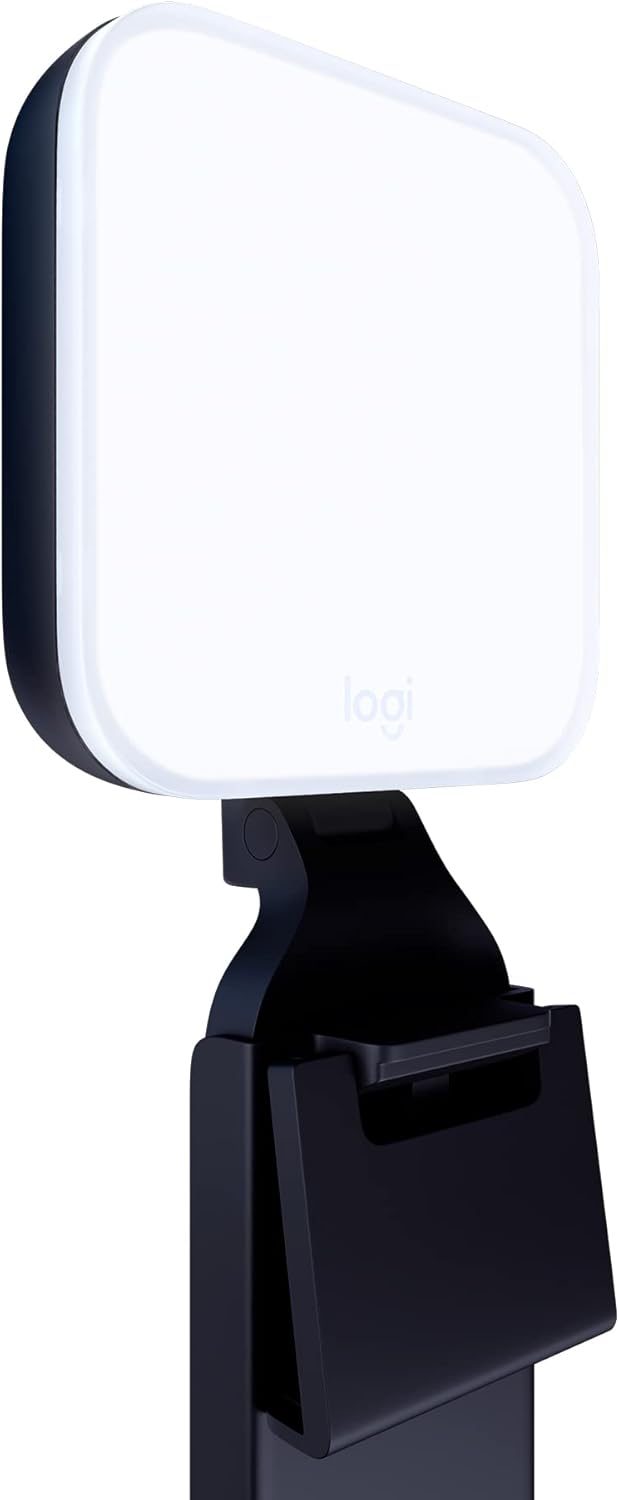
The Logitech Litra Glow is the ring light we recommend to almost everyone who lives on Zoom, Microsoft Teams, or Google Meet calls. It’s not technically a “ring” light in the circular sense — it’s a rectangular frameless LED panel — but it solves the same problem better than most actual ring lights for desk-bound video calls. The genius is the three-way monitor mount that clips onto any standard monitor with adjustable height, tilt, and rotation. No tripod taking up desk space, no boom arm to fuss with.
Logitech’s TrueSoft technology delivers full-spectrum LED light with a 95+ CRI rating, which means skin tones look natural and warm rather than the green-tinged horror you get from cheap office overheads. The brightness goes up to 250 lumens and the color temperature range covers 2700K to 6500K — enough to match daylight pouring through a window or the warm bulbs of a cozy evening setup. Adjustments happen on the device itself or in the Logitech G HUB app on macOS/Windows.
USB-powered means it draws from your computer or a USB charger — no AC adapter clutter. It has cleared UL testing for all-day streaming, so leaving it on through back-to-back meetings is fine. At $60, this is the best balance of build quality, ease of use, and image quality on the list. If you take more than three video calls per week, this is the pick.
Pros
- TrueSoft LED with 95+ CRI for accurate skin tones
- Three-way monitor clip mount (no desk space taken)
- USB-powered, no AC brick
- Adjustable 2700K-6500K color temperature
- Logitech G HUB app control on PC/Mac
Cons
- Rectangular panel, not a true ring shape
- 250 lumens is modest vs studio-grade lights
- Mount only fits monitors up to about an inch thick
- App is overkill if you only use one light
- Cable could be a foot longer
2. UBeesize 10″ Selfie Ring Light — Best Budget ($28)
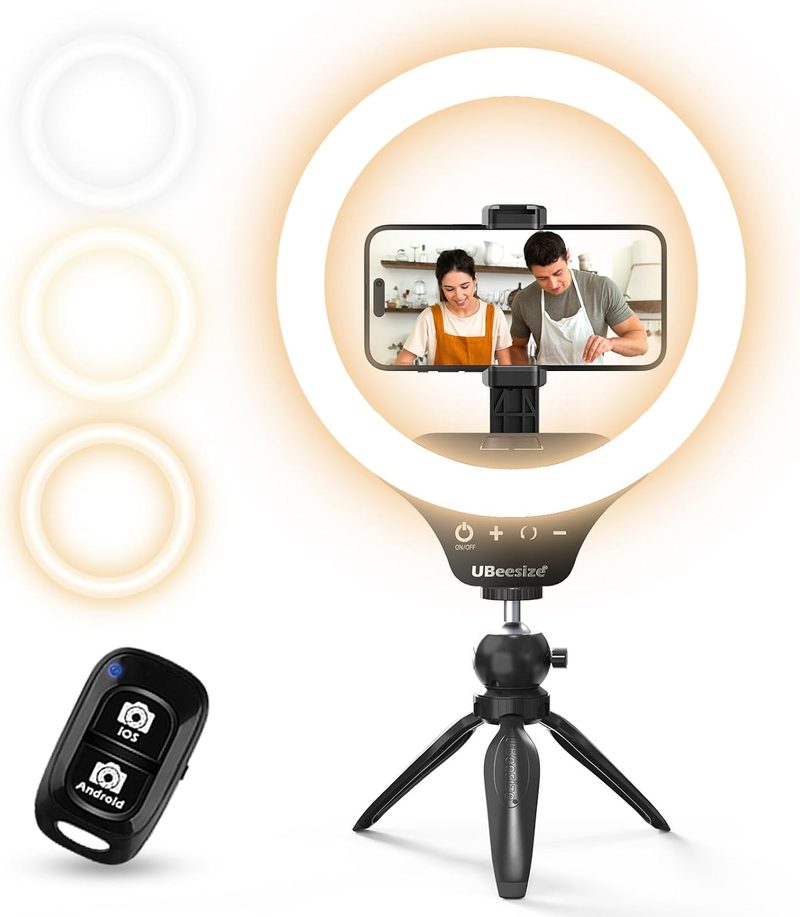
If you want a real, circular ring light for under $30, the UBeesize 10″ is the safe default. It’s been a top-seller on Amazon for years for good reason: it actually does the job. The 10-inch LED ring throws an even halo of light onto your face, and the included tripod adjusts from desktop height (great for sitting in front of a laptop) up to about 50 inches for standing shots.
You get three color modes — warm white, cool white, and daylight — and 10 brightness levels in each. That gives you 30 total combinations to match your room’s ambient lighting. The included phone holder rotates to portrait or landscape, which is handy if you sometimes take Zoom or Microsoft Teams calls from your phone instead of a laptop. There’s even a Bluetooth shutter remote thrown in, though for video calls it’s mostly useful for selfies and TikTok.
The catch at this price: the build is plasticky, the tripod legs aren’t the sturdiest, and you can see slight reflections of the ring in your glasses if you wear them. None of that matters much for a $28 light that will dramatically improve every video call you take. This is the pick if you want maximum lighting improvement for minimum cash.
Pros
- True circular ring light at a budget price
- Three color modes and 10 brightness levels
- Tripod extends from desktop to 50 inches
- Phone holder rotates portrait/landscape
- Bluetooth remote included
Cons
- Plastic build feels cheap up close
- Tripod legs can wobble on uneven desks
- USB cable could be longer
- Ring reflection visible if you wear glasses
- No built-in battery — needs USB power
3. NEEWER 18″ Bi-Color Ring Light — Best Premium/Adjustable ($85)

The NEEWER 18″ Bi-Color is the ring light to buy if you want a serious studio look for your video calls without spending serious studio money. The 18-inch diameter is dramatically larger than the standard 10-12″ budget options — big enough to wrap warm, diffused light around your entire face for that flagship YouTube-creator look. It’s the same light a lot of small business owners use for podcasts and live streams.
The headline feature is the LCD display on the back that shows the exact color temperature and brightness, so you can dial in the same look every single call. The bi-color LEDs cover 3200K-5600K — warm tungsten to clean daylight — with smooth dimming all the way to zero. Power options are flexible: AC adapter for permanent desk use, or two NP-F batteries (sold separately) if you want to take it on the road for hotel-room calls.
The included 61.8″ light stand is sturdy steel rather than the toy plastic tripods you get with budget lights. Setup takes about five minutes and the light fills a small room with enough flat, even illumination to make even your built-in laptop webcam look like a $300 camera. If you take video calls for a living — recruiter, sales, executive — this is the upgrade worth paying for.
Pros
- 18-inch diameter delivers wraparound studio lighting
- LCD shows exact color temp and brightness
- Bi-color 3200K-5600K range with smooth dimming
- Dual power: AC adapter or NP-F batteries
- Heavy-duty 61.8″ steel stand included
Cons
- Stand is large — needs floor space, not desk
- Batteries not included
- Heavier than portable options at 5+ lbs total
- Overkill for casual video callers
- Phone clamp is a basic add-on, not robust
4. Razer Ring Light 12″ — Best Desktop Stand ($70)

The Razer Ring Light 12″ is the sweet spot between budget plastic and pro-studio overkill. It’s a 12-inch LED ring with a sturdy desk tripod and flexible mounting options for both phones and webcams — specifically designed for the streamer who pulls double duty as a video-call worker. The build quality is noticeably better than the under-$40 options, with a metal-and-rubber tripod that stays planted on your desk.
The color spectrum is fully customizable from 3000K warm amber to 5000K cool daylight, with five preset color temperature levels and 10 brightness steps. There’s no app or RGB nonsense — just a clean inline USB controller you keep next to your mouse. Razer also includes mounts for both a phone and a webcam, so you can shoot through the center of the ring (the classic ring-light look that eliminates shadows entirely) or position your laptop webcam off to the side.
USB powered, no AC brick. The tripod adjusts from desktop height to about 17 inches — not as tall as the budget UBeesize, but more stable. If your video-call workflow is “sit at your desk, look at the laptop, take meetings,” this is the most balanced pick for $70. Build, function, and footprint all feel premium without crossing into NEEWER’s larger studio territory.
Pros
- Solid metal-and-rubber desk tripod, very stable
- 12-inch diameter is the desk-friendly sweet spot
- 5 color temps and 10 brightness steps via inline controller
- Includes both phone and webcam mounts
- USB-powered, no AC adapter needed
Cons
- Tripod only extends to ~17 inches
- No battery option — USB power required
- Razer branding is loud (green snake logo)
- No app control (some will see this as a feature)
- Limited to 3000K-5000K (no warmer or cooler)
5. Elgato Key Light Mini — Best for Laptops ($99)
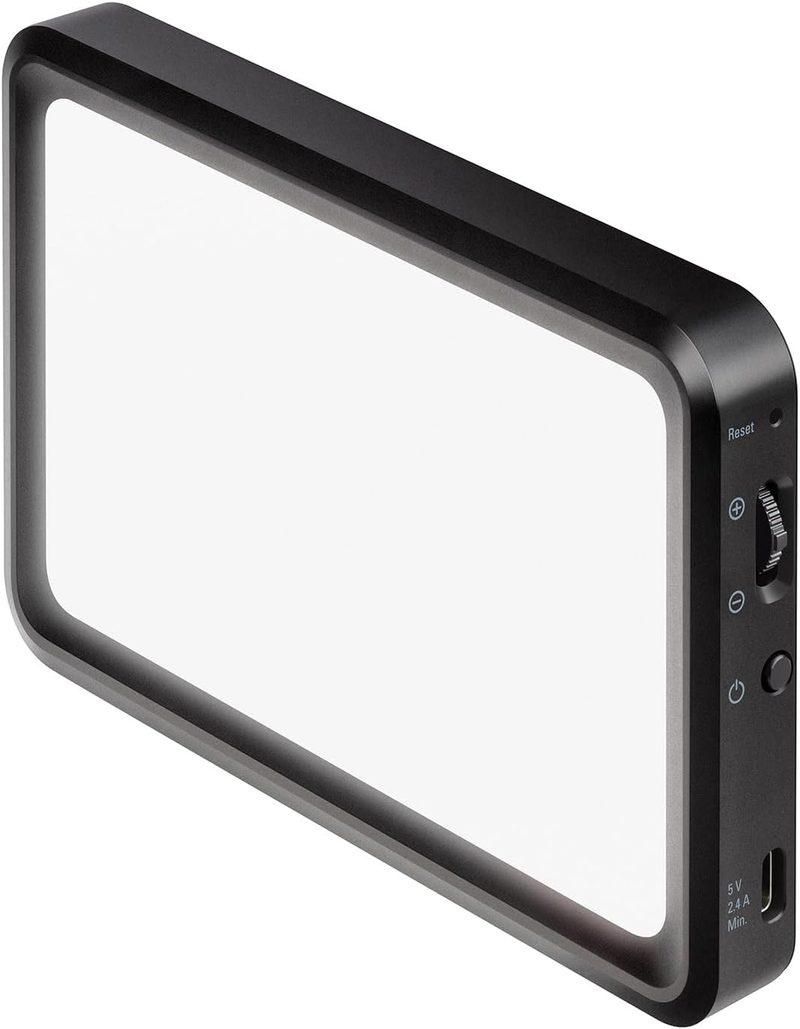
The Elgato Key Light Mini is the only light on this list with a built-in rechargeable battery — and that one feature makes it the runaway pick if you’re a road-warrior laptop user who takes Zoom or Microsoft Teams calls from coffee shops, hotel rooms, and conference centers. The 4000mAh battery delivers four hours at 50% brightness, more than enough to get through a full day of remote meetings.
Brightness peaks at 800 lumens — the brightest light on this list — with a color temperature range of 2900K to 7000K. Elgato’s edge-lit diffusion is genuinely premium: the light comes off the panel as soft, even, and flattering rather than the harsh hotspot you get from cheaper panels. Mounting is clever: a quarter-inch thread on the bottom plus a built-in magnet, so you can stick it to any metal surface (filing cabinet, monitor arm, laptop stand) without a tripod.
App control via Wi-Fi works on iPhone, Android, Mac, and PC, and integration with Elgato’s Stream Deck is seamless if you already own one. At $99, it sits at the top of our budget, but the combination of portability, build quality, and that genuinely useful battery makes it the easy answer for anyone who travels with their work setup. For office desk-only use, the Litra Glow is a better value — but if you move around, this is the one.
Pros
- Built-in 4000mAh battery (4 hours at 50%)
- 800 lumens — brightest light on this list
- Wide 2900K-7000K color temperature range
- Quarter-inch thread plus built-in magnet mount
- Wi-Fi app control on iPhone, Android, Mac, PC
Cons
- $99 is at the top of the budget
- No bundled tripod or stand
- App can be finicky on first setup
- Battery degrades over years like any rechargeable
- Square panel, not a circular ring shape
Side-by-Side Comparison
| Logitech Litra Glow | UBeesize 10″ | NEEWER 18″ Bi-Color | Razer Ring Light 12″ | Elgato Key Light Mini | |
|---|---|---|---|---|---|
| Price | $60 | $28 | $85 | $70 | $99 |
| Light Diameter | 5 x 3 in panel | 10 in | 18 in | 12 in | 4 x 4 in panel |
| Color Temperature Range (Kelvin) | 2700K-6500K | 3200K-6500K | 3200K-5600K | 3000K-5000K | 2900K-7000K |
| Max Brightness (Lumens) | 250 | ~480 | ~3200 | ~600 | 800 |
| Power Source | USB | USB | AC + battery (NP-F) | USB | Battery + USB-C |
| Mounting | Monitor clip | Tripod | Floor stand | Desk tripod | Magnet + 1/4″ thread |
| Dimming | Yes | Yes (10 levels) | Yes (smooth) | Yes (10 levels) | Yes |
| Remote | App | Bluetooth | No | Inline controller | App |
| Built-in Phone Holder | No | Yes | Add-on clamp | Yes | No |
| Best For | Desk monitor users | Budget buyers | Studio look | Streamer + caller | Travel/laptop |
How to Choose the Right Ring Light for Video Calls
Daylight vs Warm White for Video Calls
Most video-call experts recommend matching your ring light to the ambient lighting in your room. If you sit near a window with daylight pouring in, set your ring light to 5000K-6500K (cool daylight) so the two sources blend. If you work in a windowless office with warm tungsten bulbs, dial down to 2700K-3500K. Mismatched color temperatures create an unnatural “two-tone” look on camera. Most modern ring lights — including all five on this list — offer adjustable color temperature, which is why fixed-temperature lights are no longer worth buying.
Diameter vs Throw — Bigger Isn’t Always Better
A bigger ring light isn’t automatically better for video calls. The 18-inch NEEWER throws beautifully diffused light but eats your desk space and points light into your eyes if you sit close. A 10-12 inch ring is the sweet spot for desk use — big enough to wrap light around your face, small enough not to dominate your workspace. The Elgato and Logitech panels (under 5 inches) work because they sit directly on top of your monitor and you sit 18-24 inches away. Match the diameter to your shooting distance.
Battery vs AC Powered
If your video-call life is “sit at the same desk every day,” a USB-powered light is simpler and lighter (literally) on your wallet. If you travel, work from hotels, or do hybrid coffee-shop calls, a battery-powered light like the Elgato Key Light Mini is worth the upcharge — the freedom from cords is genuinely useful. The NEEWER 18″ supports both, which is nice for prosumers who occasionally do offsite shoots.
Clip vs Tripod vs Desk-Clamp Mounts
Monitor clips (Logitech Litra Glow) are the cleanest setup — nothing on your desk, light sits exactly where you’re looking. Desktop tripods (Razer, UBeesize) are flexible but eat desk real estate. Floor stands (NEEWER) are best for larger rings and let you position the light off-axis for more flattering directional lighting. Magnetic mounts (Elgato) are weird-but-useful: stick to a filing cabinet or monitor arm. Pick based on your physical setup more than your aesthetic preference.
Adjustability — Temperature and Brightness
The minimum spec you should accept in 2026 is adjustable color temperature (at least 3000K-5500K) and stepless or 10-step brightness dimming. Anything less is a deal-breaker. Every light on this list meets that bar. The NEEWER’s LCD display is the best for repeatability — you can write down “3800K at 65%” and reproduce the exact look weeks later.
Bonus Features: Phone Holder, Remote, App
Built-in phone holders matter if you sometimes take Zoom or Microsoft Teams calls from your phone instead of a computer — the UBeesize and Razer both include one. App control (Logitech G HUB, Elgato Control Center) is nice-to-have but rarely essential. The most underrated feature is a physical inline controller (Razer) — it’s faster than opening an app every time you want to dim the light.
Frequently Asked Questions
Does a ring light work with the webcam built into my laptop?
Yes — in fact, this is where ring lights make the biggest visible difference. Built-in laptop webcams have tiny sensors that need a lot of light to produce a clean image, and they’re notorious for looking grainy and muddy in dim rooms. Adding any ring light from this list dramatically improves built-in laptop webcam quality on Zoom, Microsoft Teams, and Google Meet. The Logitech Litra Glow clipped to your laptop screen is the most popular setup for this exact use case.
Do ring lights cause eye strain during long video calls?
They can, if you set them too bright or too cool. The fix is simple: turn the brightness down to 30-50% and use a warmer color temperature (3500K-4500K) rather than blasting cool 6000K daylight at your face. Position the light slightly above eye level and angled down, so the brightest part of the ring isn’t pointed directly into your pupils. If you wear glasses, you may see a ring reflection — the rectangular Logitech and Elgato panels avoid this entirely.
Where should I position my ring light for the best video call look?
The classic position is directly behind your webcam at eye level, with your face about 18-24 inches from the light. This puts soft, even light on your entire face with no shadows. For a more cinematic look, position the light slightly off to one side (about 30 degrees off-axis) so it creates gentle shadows that define your features. Avoid placing the light below your face — that’s the horror-movie uplighting effect.
Backlit vs front-lit — which is better for video calls?
Front-lit, always, for video calls. Backlighting (light behind you, like a window) turns your face into a silhouette because the camera exposes for the bright background. A front-facing ring light fixes this by adding light to your face so the camera doesn’t have to choose. If you can’t move away from a window, point a strong front light (like the NEEWER 18″ or Elgato Key Light Mini at full brightness) at your face to overpower the backlight.
Will a $40 ring light really make a difference, or do I need to spend $200+?
A $40-$60 ring light fixes about 80% of bad video call lighting. The remaining 20% is incremental polish that matters for YouTube creators and professional photographers but not for the average video-call user. The Logitech Litra Glow at $60 produces image quality that 99% of viewers will read as “professional setup.” Don’t overspend on lighting if your camera is still a built-in laptop webcam — upgrade the camera first, then add a basic ring light, before considering premium lighting.
The Verdict: Which Ring Light Should You Buy?
For most video-call workers, the Logitech Litra Glow is the best ring light for video calls in 2026. At $60, it clips onto your monitor with zero desk footprint, delivers genuinely flattering full-spectrum light, and works plug-and-play over USB with Zoom, Microsoft Teams, and Google Meet. It’s the right answer for the largest number of buyers.
Choose the UBeesize 10″ if you want the cheapest real ring light at $28. The NEEWER 18″ Bi-Color is the pick if you want a studio-grade setup that doubles for podcasting or YouTube. The Razer Ring Light 12″ is the desktop-tripod sweet spot for streamers who also take meetings. And the Elgato Key Light Mini is the only choice if you take Zoom calls from hotel rooms and coffee shops — the built-in battery is worth the $99.