
Streaming in 2026 is brutally competitive. Twitch viewers scroll past pixelated 720p streams in seconds, and YouTube’s algorithm quietly punishes channels that look amateur. The good news: you no longer need a $400 mirrorless rig to look sharp. Today’s sub-$100 webcams deliver true 1080p, sharp autofocus, 2K resolution, and AI framing — features that were locked behind premium prices just two years ago. We tested the best ones to find the standouts for streamers on a budget.
Reviews Universe is reader-supported. When you buy through links on our site, we may earn an affiliate commission at no extra cost to you.
| Product | Price | Buy |
|---|---|---|
 Logitech C920x Best Overall |
$48 | Check Price |
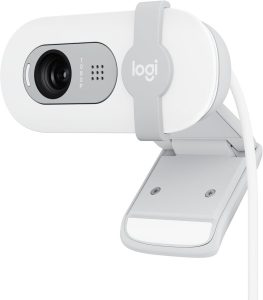 Logitech Brio 100 Best Budget |
$23 | Check Price |
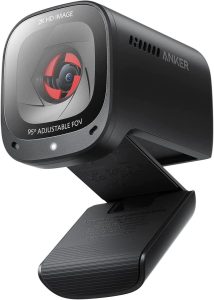 Anker PowerConf C200 Best Premium (2K) |
$60 | Check Price |
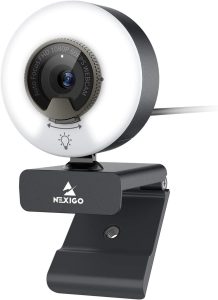 NexiGo N960E Best for Low Light |
$48 | Check Price |
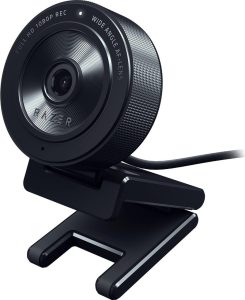 Razer Kiyo X Best for Twitch Streamers |
$27 | Check Price |
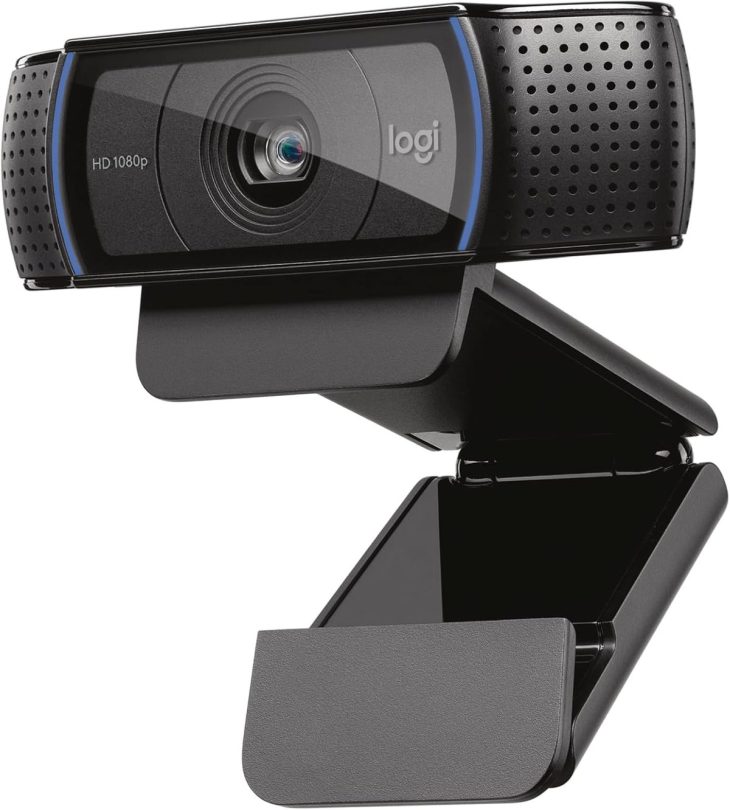
1. Logitech C920x — Best Overall ($48)
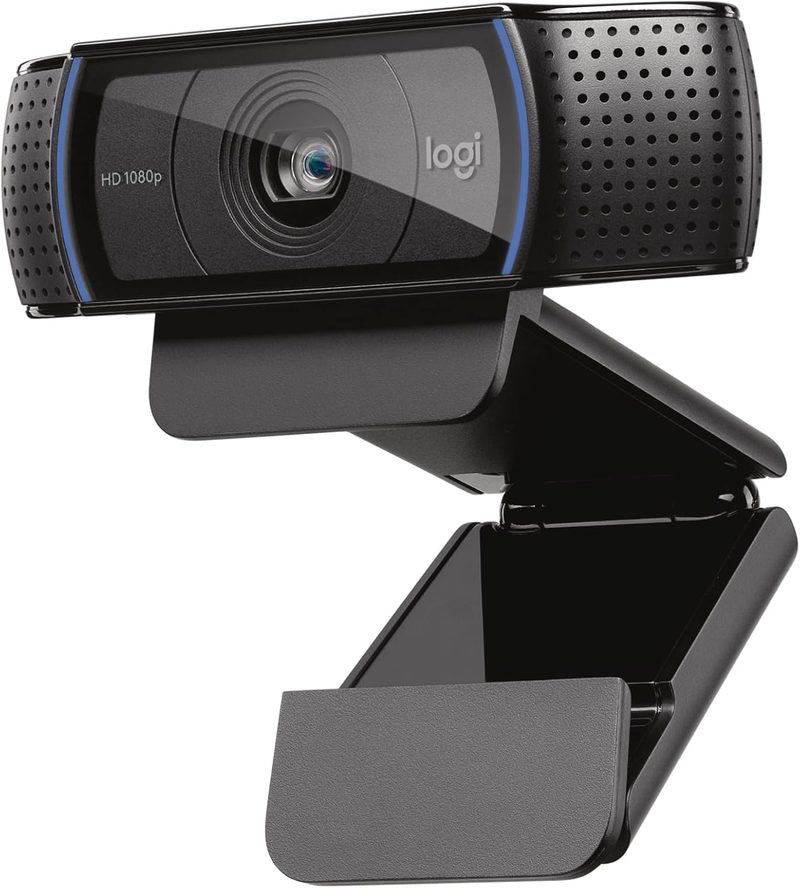
The Logitech C920x is the webcam that taught the streaming world what good budget video looks like. It’s the modern refresh of the legendary C920 — the same camera you’ve seen in countless Twitch streams and YouTube videos for the better part of a decade — now optimized for current operating systems and bundled with Logi Capture software for streaming overlays.
Image quality is genuinely impressive at this price. A full 1080p sensor with autofocus and HD light correction handles most home-office and bedroom-studio lighting setups gracefully. Stereo dual microphones pick up your voice clearly enough that beginners can skip a dedicated mic for early streams. Plug-and-play USB-A means no driver setup — it just appears in OBS Studio, Twitch Studio, Streamlabs, and every conferencing app you’ll ever use.
For under $50, the C920x is the single safest webcam recommendation we can make. It’s not the flashiest pick on this list, but it has the longest track record, the widest software compatibility, and the most accessories (mounts, privacy covers, tripods) of any webcam in this price range. If you want one camera that just works for Twitch, YouTube, and Zoom calls, this is it.
Pros
- Proven 1080p sensor with autofocus
- Built-in stereo microphones are usable
- HD light correction handles mixed lighting
- Works instantly with OBS Studio, Twitch Studio, Streamlabs
- Massive accessory ecosystem (mounts, lights, privacy covers)
Cons
- 1080p at 30fps only (no 60fps mode)
- USB-A only (no USB-C version)
- Cable is fixed — not detachable
- Older fixed-glass lens vs newer plastic-aspheric designs
- No HDR support
2. Logitech Brio 100 — Best Budget ($23)
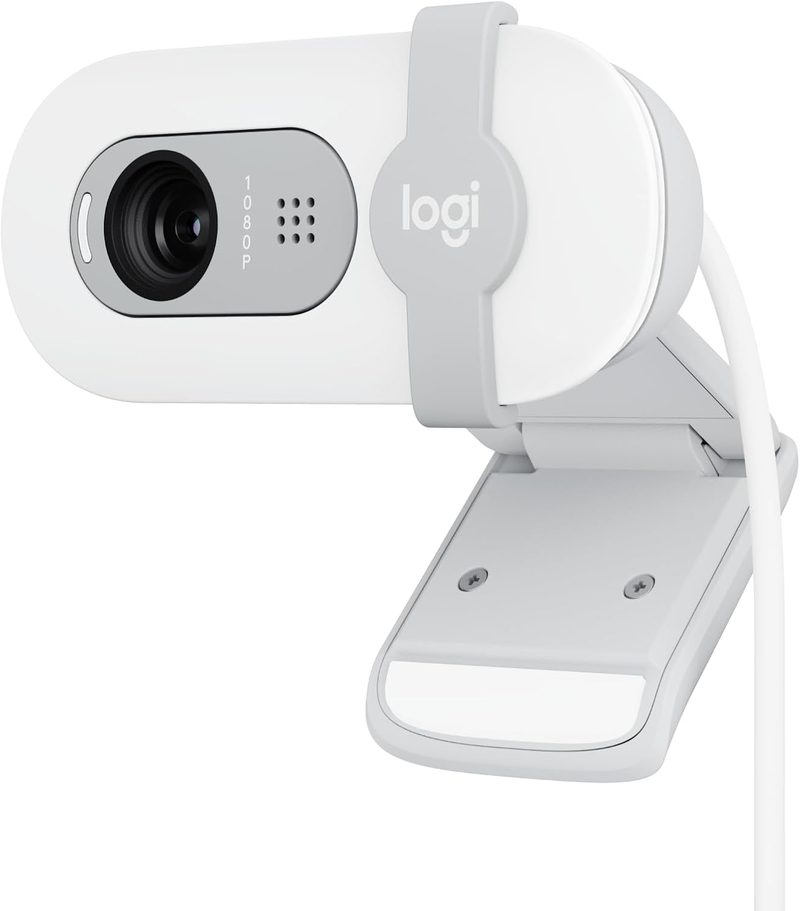
The Logitech Brio 100 is the cheapest webcam we recommend to anyone serious about streaming. At roughly $23, it’s a fraction of the C920x’s price — and yet it still delivers genuine 1080p video, auto light correction, and an integrated privacy shutter. For beginners launching their first Twitch channel or YouTube stream, this is the lowest-risk entry point in the entire category.
The trade-offs from the C920x are real but manageable. The Brio 100 uses a fixed-focus lens instead of autofocus, so you’ll want to set it up at a consistent distance from your face and leave it. The microphone is mono (not stereo) and noticeably less refined than the C920x’s. There’s no HDR or advanced light correction beyond a basic auto-balance.
What you do get is a webcam that disappears into your setup. The slim profile clips cleanly onto modern thin-bezel monitors, the privacy shutter is one of the smoothest we’ve used, and the cable routes cleanly behind any desk. If your budget is firm at under $30, this is the only webcam we’d recommend without hesitation.
Pros
- Genuine 1080p resolution at $23
- Auto light balance improves mixed lighting
- Integrated privacy shutter (slides over lens)
- Slim profile suits modern monitors
- Logitech driver support and warranty
Cons
- Fixed focus (no autofocus)
- Mono microphone is basic
- No HDR or advanced light correction
- USB-A only
- Plastic build feels lightweight
3. Anker PowerConf C200 — Best Premium 2K ($60)
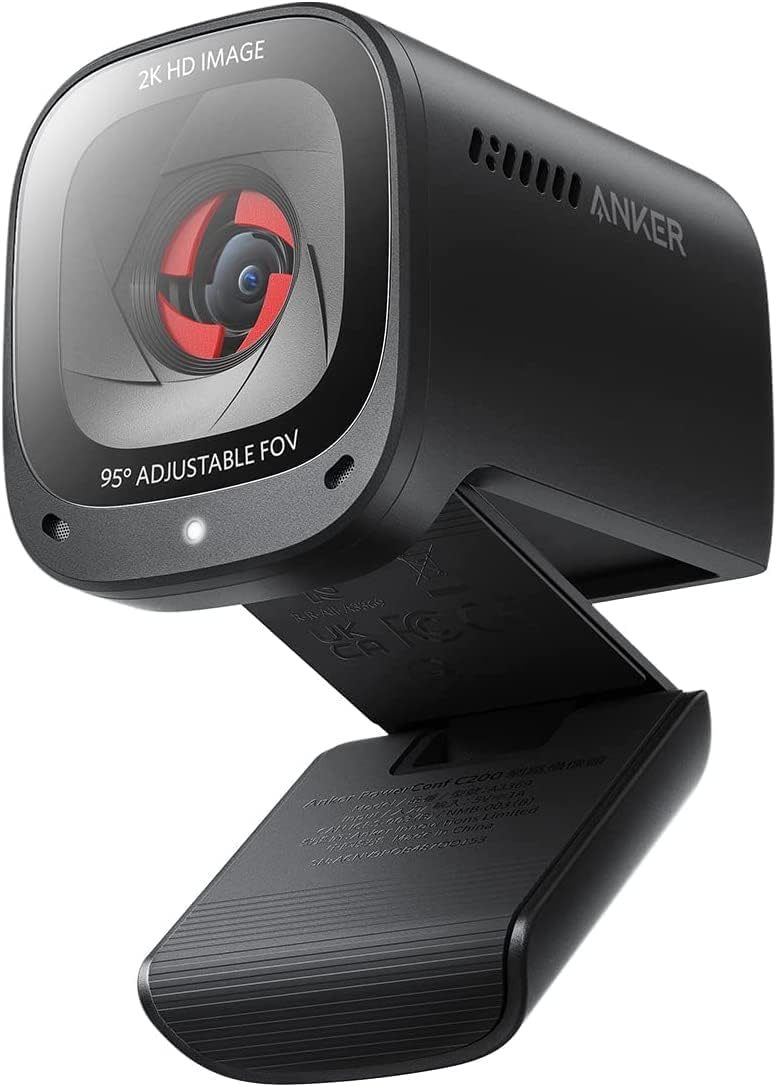
The Anker PowerConf C200 is the smartest jump above the $50 mark. It steps up from 1080p to true 2K (2560×1440), giving streamers crisper detail on close-up shots and more flexibility to crop in OBS Studio without losing quality. For viewers watching on 4K monitors, that extra resolution shows in skin tones, text on overlays, and background detail.
The standout feature here is the adjustable field of view — you can switch between 65, 78, and 95 degrees in the AnkerWork software. Tight 65 degrees keeps backgrounds clean for talking-head streams. Wide 95 degrees fits two people on camera for co-streams or product unboxings. AI-powered noise canceling on the stereo microphones is the best on this list and is usable for actual streaming audio in a pinch.
Low-light correction is also genuinely good for the price — not Razer Kiyo Pro-tier, but well above the C920x. The privacy cover slides smoothly, the USB-C cable is detachable, and the all-aluminum body feels premium. If you have $60 to spend and want the most future-proof image quality, this is the pick.
Pros
- True 2K (2560×1440) resolution
- Adjustable FOV: 65, 78, or 95 degrees via software
- Best-in-class AI noise-canceling microphones
- Low-light correction is excellent for the price
- Detachable USB-C cable and aluminum body
Cons
- 2K at 30fps only (no 1080p60 mode)
- AnkerWork software is required for FOV switching
- Built-in mount doesn’t suit ultra-thin laptops
- No on-camera tally light
- Heavier than competing webcams
4. NexiGo N960E — Best for Low Light ($48)

The NexiGo N960E solves the single biggest problem most streamers face on a budget: bad lighting. It packs a built-in ring light directly around the lens with three color temperatures (cool, warm, neutral) and infinitely adjustable brightness. For streamers in bedrooms, basements, or any room without dedicated key lights, this single feature transforms image quality more than any sensor upgrade could.
Beyond the ring light, the N960E is a competent 1080p60 webcam. The 60fps mode is genuine, not interpolated, so motion in your stream looks smooth — ideal for variety streamers who move a lot, react energetically, or play physical-camera content like fitness or instrument streams. Fast PDAF (phase-detection autofocus) keeps you sharp as you lean in and out of frame.
Dual stereo microphones with noise reduction round out the package. The included software lets you fine-tune exposure, white balance, and contrast for streaming-optimized output. For $48, getting 1080p60, built-in lighting, and stereo audio in one device is a genuine value proposition that no other webcam on this list can match.
Pros
- Built-in adjustable ring light (3 temperatures)
- Genuine 1080p at 60fps for smooth motion
- Phase-detection autofocus is fast and accurate
- Dual stereo microphones with noise reduction
- Bundled software for streaming-optimized tuning
Cons
- Ring light adds bulk — doesn’t suit slim monitors
- Light requires powered USB and draws extra current
- Plastic build feels less premium than Logitech/Anker
- Mount can wobble on thin laptop screens
- USB-A only (no USB-C)
5. Razer Kiyo X — Best for Twitch Streamers ($27)
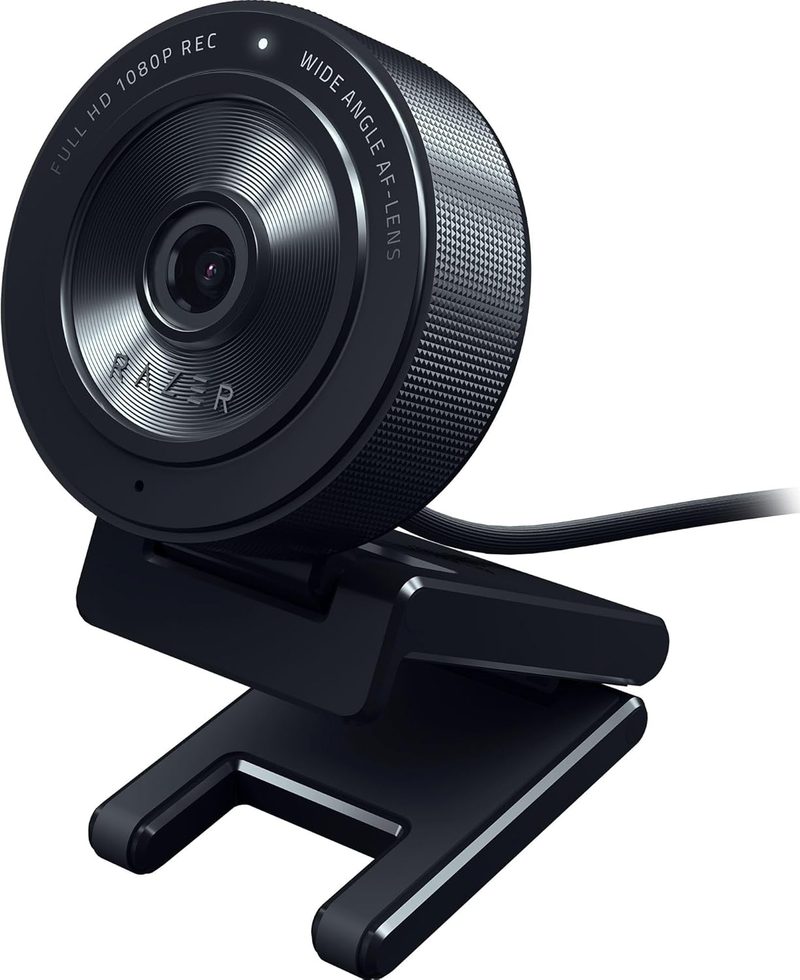
The Razer Kiyo X is purpose-built for Twitch streamers, and it shows. At about $27, it’s the cheapest webcam on this list with deep Razer Synapse integration — the same software ecosystem Razer uses for its Kraken headsets, Huntsman keyboards, and DeathAdder mice. If you already run Razer hardware, the Kiyo X drops into your setup with consistent color profiles and per-scene presets you can switch from your Stream Deck or hotkeys.
It does 1080p at 30fps for high-quality streams or 720p at 60fps for smoother motion when you care more about frame rate than resolution. The autofocus is fast enough to track you leaning around your monitor, and the customizable Synapse settings (brightness, contrast, saturation, white balance) give you more granular control than Logitech’s webcam software offers.
The trade-off is microphone quality — Razer assumed every streamer running this camera already has a dedicated mic, so the on-camera microphone is mediocre. If you’re streaming with a Blue Yeti, HyperX QuadCast, or Shure MV7, that’s irrelevant. If this is your first webcam and you don’t have a separate microphone yet, get the Logitech C920x instead. For everyone else running a stream-focused setup, the Kiyo X is the most stream-optimized camera under $30.
Pros
- Razer Synapse integration with per-scene profiles
- 1080p30 or 720p60 — flexible for different stream types
- Fast tracking autofocus
- Detachable mount for tripod use
- Cheapest webcam with deep streaming software ecosystem
Cons
- Microphone is mediocre (assumes you have a dedicated mic)
- No 1080p60 mode
- Synapse can feel bloated if you don’t use other Razer gear
- Plastic build feels lightweight at this price
- No built-in privacy shutter
Side-by-Side Comparison
| Logitech C920x | Logitech Brio 100 | Anker PowerConf C200 | NexiGo N960E | Razer Kiyo X | |
|---|---|---|---|---|---|
| Price | $48 | $23 | $60 | $48 | $27 |
| Resolution | 1080p | 1080p | 2K (1440p) | 1080p | 1080p |
| Max FPS | 30 fps | 30 fps | 30 fps | 60 fps | 30 fps (1080p) / 60 fps (720p) |
| Field of View | 78 degrees | 58 degrees | 65/78/95 (adjustable) | 78 degrees | 82 degrees |
| Autofocus | Yes | Fixed focus | Fixed focus | Yes (PDAF) | Yes |
| Low-Light Mode | HD light correction | Auto balance | Low-light correction | Built-in ring light | Synapse manual tuning |
| Microphone Quality | Stereo (decent) | Mono (basic) | Stereo with AI noise cancel (best) | Stereo with noise reduction | Mono (mediocre) |
| Mounting | Clip + tripod thread | Clip only | Clip + tripod thread | Clip + tripod thread | Detachable clip + tripod |
| Software | Logi Capture / Logi Tune | Logitech G HUB (limited) | AnkerWork | NexiGo Webcam Software | Razer Synapse 3 |
| Best For | All-around streaming | First-time streamers | 2K quality, co-streaming | Low-light bedrooms | Twitch + Razer gear users |
How to Choose the Right Streaming Webcam Under $100
Resolution and FPS for Streaming
For Twitch streaming, 1080p at 30fps is the practical sweet spot — Twitch’s bitrate limits mean higher resolutions often look worse on viewers’ screens due to compression. 1080p at 60fps (NexiGo N960E) is ideal if you stream movement-heavy content like fitness, instrument playing, or reactive variety streams. 2K (Anker PowerConf C200) only shines on YouTube uploads where compression is less aggressive — for live Twitch streaming, the extra resolution often gets crushed by bitrate caps.
Low-Light Performance
Most budget webcams look terrible in dim rooms. There are three ways to fix this: a webcam with built-in lighting (NexiGo N960E ring light), a webcam with advanced low-light correction (Anker PowerConf C200), or an external key light. If your budget is firm at under $100 total and you can only buy one device, the N960E’s built-in ring light gives you the biggest quality jump for the money. If you already own a key light or ring light, prioritize sensor quality instead (Anker C200 or Logitech C920x).
Field of View: Tight vs Wide
Talking-head streamers want a tight field of view (60-70 degrees) to keep backgrounds clean and faces prominent. Wide-angle webcams (90+ degrees) capture too much room and look like security camera footage. The Anker PowerConf C200 is the only webcam on this list with switchable FOV (65/78/95 degrees), making it ideal if you sometimes stream solo and sometimes have a co-host on camera. The Logitech Brio 100’s tight 58 degrees is actually a streaming benefit despite its budget price.
Autofocus Types
Fixed-focus webcams (Logitech Brio 100, Anker C200) require you to sit at a consistent distance from the camera. If you lean back to read chat or stand up to interact, they go soft. Continuous autofocus (Logitech C920x, Razer Kiyo X) keeps you sharp as you move, but can hunt and pulse in challenging lighting. Phase-detection autofocus (PDAF) on the NexiGo N960E is the fastest and most reliable — it locks on without the hunting that plagues contrast-only autofocus systems.
Software Features: Framing, Lighting, Customization
Razer Synapse 3 (Razer Kiyo X) is the deepest streaming-focused software ecosystem, with per-scene profiles you can hotkey-switch. AnkerWork (PowerConf C200) is the best for switching field of view on the fly. Logi Capture (C920x) is the most stable but offers fewer features. NexiGo’s bundled software lets you tune the ring light alongside the camera in one app. If you stream multiple types of content — gaming, just chatting, podcasts — prioritize software that supports per-scene profiles.
Mounting and Tripod Options
Every webcam on this list except the Logitech Brio 100 includes a tripod thread on the bottom of the mount, which lets you use Manfrotto, Joby GorillaPod, or generic camera tripods for over-the-shoulder shots, top-down craft streams, or low-angle podcast setups. If you anticipate creative camera angles (cooking streams, art streams, hands-on tutorials), prioritize webcams with tripod threads.
Frequently Asked Questions
Is 1080p enough for streaming on Twitch in 2026?
Yes. Twitch’s bitrate caps (8000 kbps for partners, lower for affiliates) mean 1080p at 30fps is the practical maximum that looks good on viewers’ screens. Streaming at higher resolutions like 2K or 4K often results in worse perceived quality because the compression is more aggressive. The Logitech C920x, NexiGo N960E, and Razer Kiyo X all hit the 1080p sweet spot. Save 2K and 4K for YouTube uploads and VODs.
Do I need a separate microphone or is the built-in one okay?
For first-time streamers with budgets under $100 total, the built-in microphones on the Logitech C920x and Anker PowerConf C200 are usable to start. As your audience grows, a dedicated USB microphone (Blue Yeti, HyperX QuadCast, Shure MV7) makes a bigger quality leap than upgrading your webcam. The Razer Kiyo X explicitly assumes you have a dedicated mic — its built-in microphone is mediocre.
What’s the difference between 1080p30 and 720p60 modes?
1080p30 prioritizes resolution: sharper text, finer skin detail, better-looking close-ups. 720p60 prioritizes smoothness: motion looks fluid, fast head turns don’t blur, and reactions feel more lifelike. For talking-head streams (just chatting, podcasts), use 1080p30. For movement-heavy content (fitness, instruments, energetic variety streams), 720p60 looks better. The Razer Kiyo X lets you toggle between both modes.
Do I need 4K or 2K for streaming or is 1080p fine?
1080p is the practical ceiling for live streaming on Twitch in 2026 due to bitrate limits. 2K (Anker PowerConf C200) and 4K make sense only for pre-recorded YouTube content where higher bitrates preserve detail. They also let you crop into the image in OBS Studio without losing quality, which is useful for face-cam overlays on smaller pixel counts. For pure live streaming, save the money and go 1080p.
Will these webcams work with OBS Studio and Streamlabs?
Yes, all five webcams on this list appear as native USB video sources in OBS Studio, Streamlabs Desktop, Twitch Studio, XSplit Broadcaster, and every major streaming application. No special drivers are needed — just plug in the USB cable and add a video capture device in your software. The Razer Kiyo X and Anker PowerConf C200 also offer companion apps (Razer Synapse 3, AnkerWork) for advanced tuning that streams cleanly into OBS Studio.
The Verdict: Which Webcam Should You Buy for Streaming?
For most streamers, the Logitech C920x is the best webcam under $100. At $48, it gives you the most reliable 1080p video, autofocus, and stereo audio with the widest software compatibility on the market. It’s the safest single recommendation for first-time and intermediate streamers.
Choose the Logitech Brio 100 if your budget is firm at $25 or below. Grab the Anker PowerConf C200 for true 2K resolution and adjustable field of view at $60. The NexiGo N960E is the pick if you stream from a dim room — the built-in ring light solves lighting and smooth 1080p60 motion in one device. And the Razer Kiyo X is the obvious choice if you already run Razer gear and want per-scene Synapse profiles for under $30.