
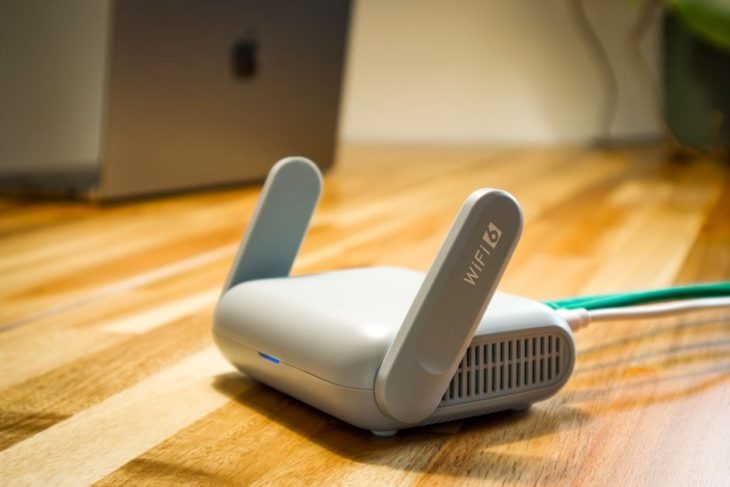
Wi-Fi 8 became real at IFA 2026 in Berlin, where TP-Link unveiled the world’s first complete Wi-Fi 8 product lineup with regional pre-orders opening on September 30th. If your instinct is that this means faster internet, it does not — and that is the most important thing to understand about this generation. Wi-Fi 8 has the same maximum theoretical speed as Wi-Fi 7. What it changes is reliability: fewer dropouts, more consistent latency, and connections that hold up when your network is crowded. This guide explains what Wi-Fi 8 actually does, when you can buy it, whether you should wait, and which router to buy today if you should not.
Reviews Universe is reader-supported. When you buy through links on our site, we may earn an affiliate commission at no extra cost to you.
What Is Wi-Fi 8?
Wi-Fi 8 is the consumer name for the IEEE 802.11bn wireless standard. Every previous generation of Wi-Fi has been sold on peak speed — each one roughly doubling the theoretical maximum of the last. Wi-Fi 8 breaks that pattern completely. Its formal design goal is Ultra High Reliability, and its maximum theoretical throughput stays at approximately 46 gigabits per second, exactly where Wi-Fi 7 left it.
This is a deliberate change of direction by the standards body, and a sensible one. Peak Wi-Fi speeds passed the point of usefulness for most homes several generations ago — almost nobody has an internet connection fast enough to saturate even Wi-Fi 6. The problems people actually experience are different: a video call that stutters when someone else starts streaming, a wireless headset that drops out when you walk into the next room, a smart home device that goes unresponsive at the worst moment. Those are reliability failures, not speed failures, and they are what 802.11bn was designed to fix.
The published targets are specific and measurable: a 25% increase in throughput under rate-versus-range conditions — meaning real speeds at real distances from the router, not laboratory maximums — a 25% reduction in 95th-percentile latency, and a 25% reduction in packet loss when a device hands off between access points. That last figure is the one to watch if you have ever walked from your living room to your bedroom and watched a video call fall apart.
The Key Technology: Multi-Access Point Coordination
The headline feature of 802.11bn is Multi-Access Point Coordination, usually shortened to MAPC. To understand why it matters, consider what happens in a modern home or apartment building today: your router and every neighbouring router are shouting across the same handful of channels, and each one treats the others as noise to be talked over. The result is interference, retransmissions, and inconsistent performance — and it gets worse the denser the environment.
Multi-Access Point Coordination lets access points cooperate instead of compete. They coordinate channel access between themselves, manage interference collaboratively rather than individually, and schedule transmissions so they do not collide. The framework turns what was previously uncontrollable interference into manageable, deliberate concurrency. In a detached house with one router, the benefit is modest. In an apartment building, a dense suburb, or a home running a multi-node mesh system, this is the difference between a network that works and one that mostly works.
This is also why Wi-Fi 8 is being positioned as a foundation for applications that cannot tolerate a dropped packet — augmented reality headsets, wireless virtual reality, real-time control systems, and the growing category of always-connected devices that assume the network is simply there.
The First Wi-Fi 8 Products: TP-Link’s IFA 2026 Lineup
TP-Link announced the first complete Wi-Fi 8 lineup at IFA 2026 in Berlin, which ran from September 4th to 8th. Two products lead it.
The Archer 8 Ultra is the flagship standalone router. It carries 18 internal antennas and is rated for wireless speeds up to 19 gigabits per second, with 10 gigabit wired connectivity. The antenna count is notable — more antennas mean more simultaneous spatial streams and better beamforming toward individual devices, which is exactly the kind of engineering that serves reliability rather than headline speed.
The Deco 8 Ultra is the mesh system version, and arguably the more interesting product. Mesh networks are precisely where Multi-Access Point Coordination pays off, because a mesh is by definition multiple access points that need to cooperate. A Wi-Fi 8 mesh should handle device handoff between nodes substantially better than any current system — that 25% reduction in packet loss during transitions is a mesh statistic first and foremost.
Regional pre-orders start on September 30th, 2026. Pricing has not been broadly announced, and neither product is listed on Amazon at the time of writing. Expect flagship pricing at launch, as with every first-generation Wi-Fi product.
Should You Wait for Wi-Fi 8?
For almost everyone, no. Here is the honest reasoning.
Your devices do not support it. A Wi-Fi standard requires both ends to participate. Your router being Wi-Fi 8 does nothing for a laptop, phone, or tablet that speaks Wi-Fi 6 or Wi-Fi 7. Client device support arrives on a multi-year cycle — phones first, then laptops, then everything else. Buying a first-generation Wi-Fi 8 router in 2026 means paying a premium for a capability nothing you own can use, and by the time your devices catch up, the second-generation routers will be cheaper and better.
It is not a speed upgrade. This bears repeating because it contradicts twenty years of Wi-Fi marketing. Maximum theoretical throughput is unchanged from Wi-Fi 7. If your goal is faster downloads, Wi-Fi 8 does not deliver that, and your bottleneck is almost certainly your internet plan rather than your router anyway.
Wi-Fi 7 hardware is mature and heavily discounted. Wi-Fi 7 routers have been on the market for several years, the firmware is stable, and prices have fallen substantially. A tri-band Wi-Fi 7 router with multi-gigabit ports now costs $200 to $330 — a fraction of what the equivalent cost at launch, and a fraction of what first-generation Wi-Fi 8 will cost.
Wait only if you are in a genuinely dense environment. If you live in an apartment building where you can see forty wireless networks from your sofa, or you are wiring a large home with a multi-node mesh, Multi-Access Point Coordination addresses your exact problem and may be worth waiting a generation for. That is a real but narrow set of circumstances.
The Best Routers to Buy Right Now Instead
If Wi-Fi 8 is not the right purchase this year, these are the Wi-Fi 7 routers worth your money today. All five are available now, unlike the Wi-Fi 8 lineup.
| Product | Price | Buy |
|---|---|---|
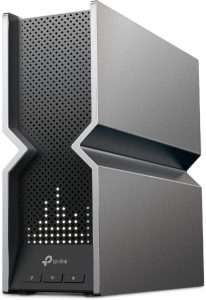 TP-Link Archer BE800 Best Overall |
$330 | Check Price |
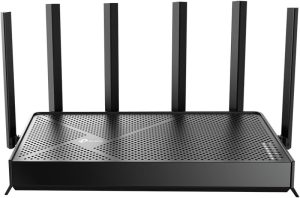 TP-Link Archer BE670 Best Tri-Band Mid-Range |
$250 | Check Price |
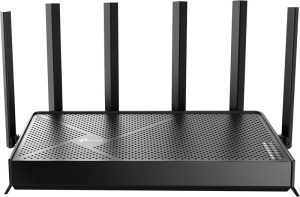 TP-Link Archer BE600 Best 10 Gigabit Value |
$190 | Check Price |
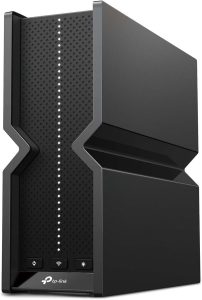 TP-Link Archer BE550 Best Value |
$200 | Check Price |
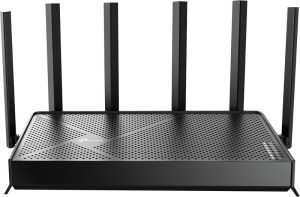 TP-Link Archer BE400 Best Budget |
$130 | Check Price |
1. TP-Link Archer BE800 — Best Overall ($330)
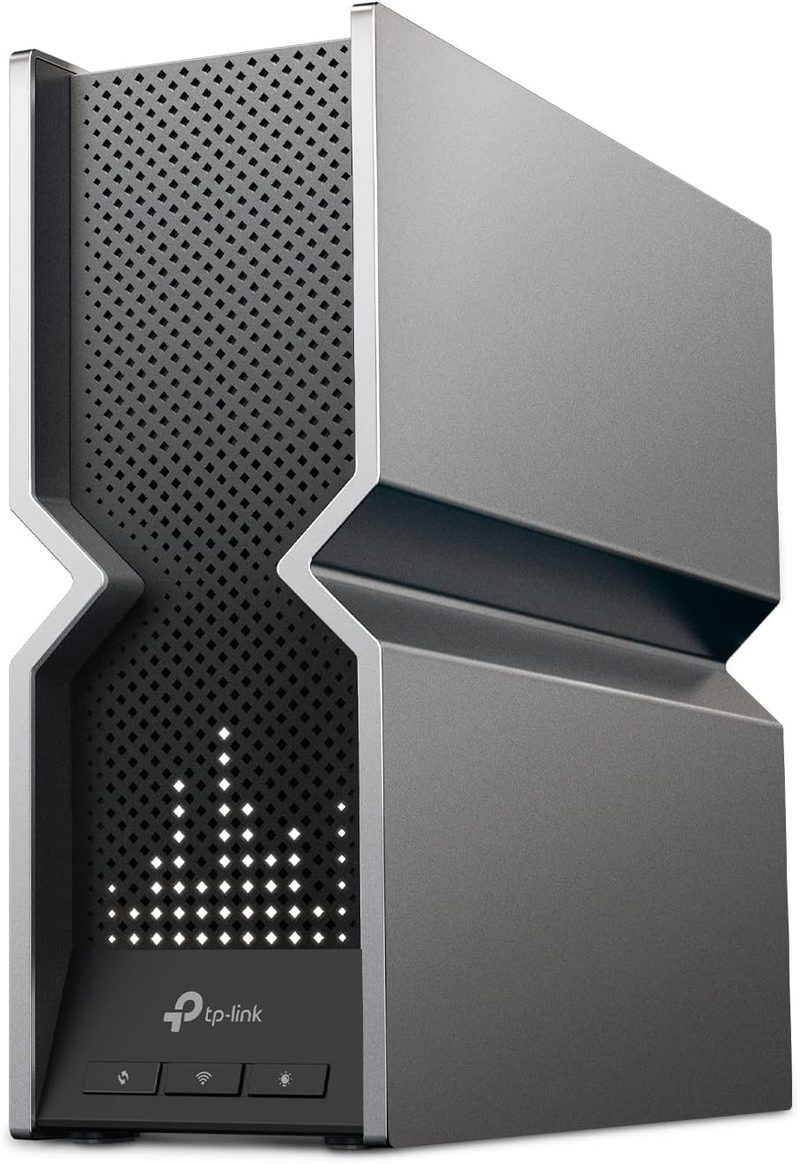
The Archer BE800 is TP-Link’s Wi-Fi 7 flagship and the router to buy if you want the best home networking hardware available today rather than the newest. It is a tri-band BE19000 design running 12 spatial streams for a combined rated throughput of 19 gigabits per second — which, notably, is the same headline figure as the incoming Wi-Fi 8 Archer 8 Ultra.
The port selection is what separates it from cheaper routers: two 10 gigabit ports and four 2.5 gigabit ports. If you have a multi-gigabit internet connection, a network attached storage device, or a wired desktop you want to feed properly, this is the router that will not become the bottleneck. Eight high-performance antennas handle coverage, and the front-mounted display panel is a genuinely useful touch for checking network status at a glance.
At around $330 it is not cheap, but it is roughly half what it cost at launch and it is the closest thing to future-proof you can buy without waiting for a standard your devices cannot use yet.
Pros
- Tri-band BE19000 with 12 spatial streams, 19 gigabits per second rated
- Two 10 gigabit ports plus four 2.5 gigabit ports
- Eight high-performance antennas for strong coverage
- Front display panel showing live network status
- Substantially discounted from its launch price
Cons
- $330 is a serious investment for a home router
- Overkill unless you have multi-gigabit internet or wired devices to feed
- Large physical footprint
- Wi-Fi 7 client devices are still not universal
2. TP-Link Archer BE670 — Best Tri-Band Mid-Range ($250)
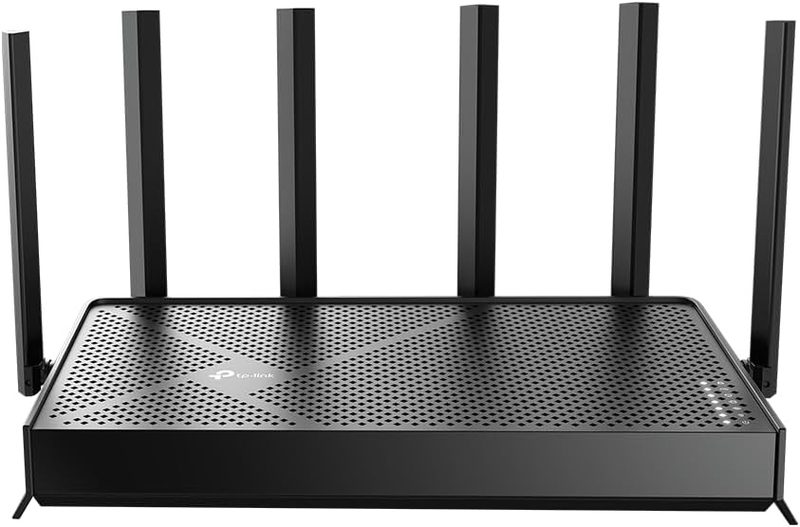
The Archer BE670 sits in the middle of the range as a BE12000 tri-band router rated at 12 gigabits per second combined. The critical word is tri-band: it uses the 6 gigahertz band alongside 2.4 and 5 gigahertz, and that 6 gigahertz band is the single biggest practical benefit of modern Wi-Fi for most homes.
The reason is congestion. The 2.4 and 5 gigahertz bands are shared with every neighbour, every microwave, and every Bluetooth device in range. The 6 gigahertz band is comparatively empty and only recent devices can use it, which means it behaves like a private lane. If your Wi-Fi problems are caused by interference rather than distance — the usual case in apartments — moving your important devices to 6 gigahertz solves more than any amount of extra antenna power.
At $250 this is the sensible middle of the Wi-Fi 7 range for a household with a fast but not extreme internet connection and a normal number of devices.
Pros
- Tri-band BE12000 with access to the uncongested 6 gigahertz band
- 12 gigabits per second combined rated throughput
- Well-priced middle ground between budget and flagship
- Handles a typical household device count comfortably
Cons
- Fewer multi-gigabit ports than the Archer BE800
- 6 gigahertz band has shorter range and poorer wall penetration
- Only recent devices can use the 6 gigahertz band at all
- Still more router than a small apartment needs
3. TP-Link Archer BE600 — Best 10 Gigabit Value ($190)
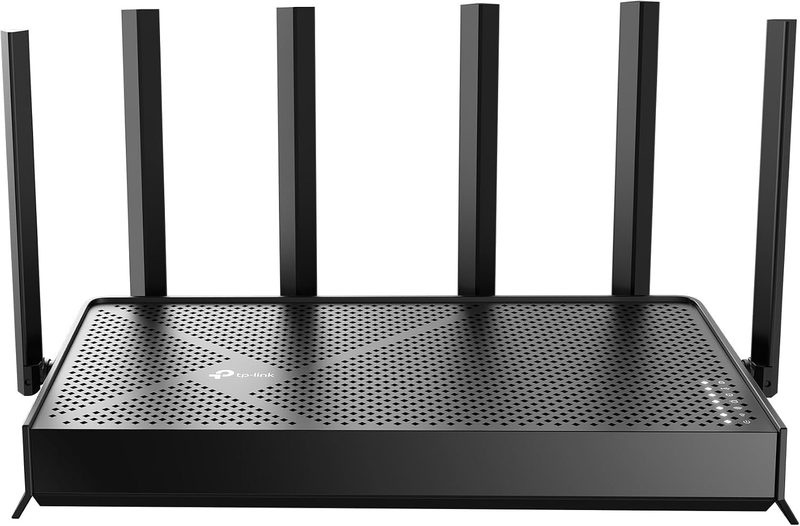
The Archer BE600 is the cheapest way to get a 10 gigabit port into your home network. It is a tri-band BE9700 design rated at 9.7 gigabits per second, with one 10 gigabit port, one 2.5 gigabit port, and three additional 2.5 gigabit local network ports — a port selection that would have been flagship territory two years ago and now costs $190.
It also supports 320 megahertz channels, the widest channels Wi-Fi 7 allows. Wider channels move more data per transmission, in the same way a wider road moves more cars. This only works in the 6 gigahertz band, where there is enough clear spectrum for a channel that wide, which is another reason tri-band matters.
Coverage is rated to around 2,900 square feet, which suits most houses. For a household with a multi-gigabit internet plan that does not need the Archer BE800’s second 10 gigabit port, this is the value pick of the range.
Pros
- 10 gigabit port at a $190 price point
- Three additional 2.5 gigabit local network ports
- 320 megahertz channel support for maximum throughput
- Tri-band with 6 gigahertz access
- Covers around 2,900 square feet
Cons
- Only one 10 gigabit port, unlike the Archer BE800’s two
- 9.7 gigabits per second combined trails the higher-tier models
- 320 megahertz channels only work in the 6 gigahertz band
- Antenna design is less capable than the flagship
4. TP-Link Archer BE550 — Best Value ($200)
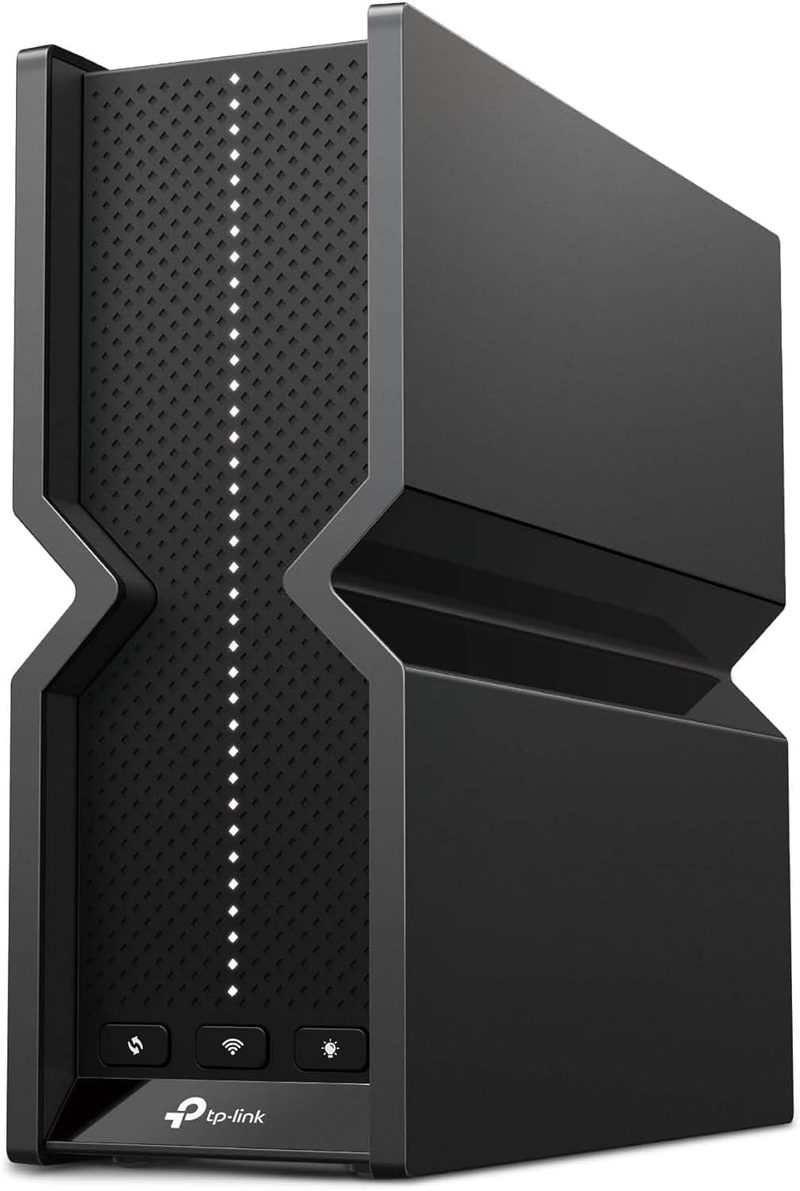
The Archer BE550 is the router most households should actually buy. It is a tri-band BE9300 design with six spatial streams, and its defining feature is that every single port is 2.5 gigabit — not one fast port and four slow ones, but a fully multi-gigabit set. For a home where several wired devices matter, that consistency is worth more than a single headline 10 gigabit connection nothing is plugged into.
Six internal antennas cover up to around 2,000 square feet, which fits most apartments and mid-sized homes. Tri-band means 6 gigahertz access for the devices that support it. At $200 it delivers the meaningful parts of Wi-Fi 7 — the uncongested band, multi-gigabit wiring, modern spatial streams — without paying for capability that only matters with a multi-gigabit internet plan.
If you are replacing an aging Wi-Fi 5 or Wi-Fi 6 router and want the upgrade you will actually notice, start here.
Pros
- Every port is 2.5 gigabit — consistent multi-gigabit wiring throughout
- Tri-band BE9300 with 6 gigahertz access
- Six spatial streams and six internal antennas
- Covers around 2,000 square feet
- The best balance of capability and price in the range
Cons
- No 10 gigabit port for multi-gigabit internet plans
- 2,000 square feet coverage may not suit a large house
- Internal antennas offer less tuning than external ones
- Lower combined throughput than the BE600 or BE800
5. TP-Link Archer BE400 — Best Budget ($130)
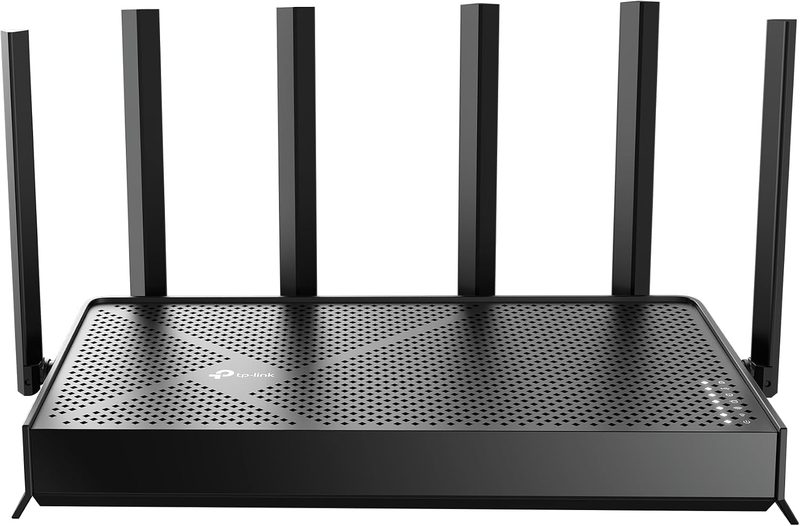
The Archer BE400 is the entry point into Wi-Fi 7 at $130. It is a dual-band BE6500 design — meaning it uses 2.4 and 5 gigahertz but not 6 gigahertz — with two 2.5 gigabit ports, a USB 3.0 port for attaching a drive to the network, and a quad-core processor. Coverage is rated to around 2,400 square feet and it is designed to handle up to 90 connected devices.
Be clear about the compromise: without the 6 gigahertz band, this router misses the single most useful improvement of recent Wi-Fi generations. What you still get over an older router is Wi-Fi 7’s improved efficiency, better handling of many simultaneous devices, multi-gigabit wired ports, and a processor fast enough not to choke under load.
For a small apartment, a first router, or a household on a standard broadband plan, this is a sensible purchase that will not feel dated for years.
Pros
- Wi-Fi 7 for $130
- Two 2.5 gigabit ports plus USB 3.0 for network storage
- Quad-core processor handles up to 90 devices
- Covers around 2,400 square feet
- Ideal first router or small apartment upgrade
Cons
- Dual-band only — no 6 gigahertz, the most valuable modern band
- BE6500 rating is well below the tri-band models
- Not suitable for multi-gigabit internet plans
- Limited benefit if you already own a good Wi-Fi 6 router
Side-by-Side Comparison
| Archer BE800 | Archer BE670 | Archer BE600 | Archer BE550 | Archer BE400 | |
|---|---|---|---|---|---|
| Price | $330 | $250 | $190 | $200 | $130 |
| Wi-Fi Class | BE19000 | BE12000 | BE9700 | BE9300 | BE6500 |
| Bands | Tri-band | Tri-band | Tri-band | Tri-band | Dual-band |
| 6 GHz Band | Yes | Yes | Yes | Yes | No |
| Spatial Streams | 12 | Not specified | Not specified | 6 | Not specified |
| 10 Gigabit Ports | 2 | No | 1 | No | No |
| 2.5 Gigabit Ports | 4 | Yes | 4 | All ports | 2 |
| USB Port | Yes | Yes | Yes | Yes | USB 3.0 |
| Rated Coverage | Large home | Mid to large home | About 2,900 sq ft | About 2,000 sq ft | About 2,400 sq ft |
| Best For | Multi-gigabit homes | Typical households | 10 gigabit on a budget | Best all-round value | Apartments and first routers |
Frequently Asked Questions
What is Wi-Fi 8 and when is it available?
Wi-Fi 8 is the consumer name for the IEEE 802.11bn wireless standard, designed around Ultra High Reliability rather than peak speed. TP-Link unveiled the first complete Wi-Fi 8 lineup at IFA 2026 in Berlin, led by the Archer 8 Ultra router and the Deco 8 Ultra mesh system, with regional pre-orders opening on September 30th, 2026. Broad availability and client device support will follow over the next few years.
Is Wi-Fi 8 faster than Wi-Fi 7?
No, not in maximum speed. Wi-Fi 8 has the same theoretical maximum throughput as Wi-Fi 7, approximately 46 gigabits per second. What improves is real-world consistency: the standard targets a 25% increase in throughput at realistic distances from the router, a 25% reduction in 95th-percentile latency, and a 25% reduction in packet loss when devices move between access points. It is a reliability upgrade, not a speed upgrade.
Should I wait for Wi-Fi 8 before buying a new router?
For most people, no. Wi-Fi standards need support at both ends, and no phone, laptop, or tablet you currently own speaks Wi-Fi 8 — client support will take years to become common. First-generation hardware also carries a price premium. Wi-Fi 7 routers are mature, stable, and heavily discounted from their launch prices. The exception is if you live in a very dense apartment building or are planning a large mesh network, where Wi-Fi 8’s Multi-Access Point Coordination addresses your specific problem.
What is Multi-Access Point Coordination in Wi-Fi 8?
Multi-Access Point Coordination, or MAPC, is the headline feature of the 802.11bn standard. It allows nearby access points to cooperate rather than compete — coordinating channel access, managing interference collaboratively, and scheduling transmissions so they do not collide. Today, neighbouring routers treat each other purely as noise. MAPC turns that uncontrolled interference into managed concurrency, which matters most in apartment buildings, dense neighbourhoods, and multi-node mesh networks.
Do I need a tri-band router or is dual-band enough?
Tri-band is worth the extra money in most situations. The third band is 6 gigahertz, which is far less congested than 2.4 and 5 gigahertz because only recent devices can use it. In an apartment or dense neighbourhood where interference rather than distance causes your problems, moving important devices onto 6 gigahertz makes a bigger difference than any other single upgrade. Dual-band routers like the Archer BE400 are fine for small spaces on standard broadband plans.
Will a new router actually make my internet faster?
Only if your router is the bottleneck, which is less often than people assume. If your internet plan is 500 megabits per second and your router can handle several gigabits, upgrading the router will not increase your download speeds. What a better router does improve is coverage at distance, stability with many devices connected simultaneously, and wired speeds between devices on your own network. Check your internet plan speed before assuming the router is the problem.
The Bottom Line on Wi-Fi 8
Wi-Fi 8 is a genuinely important standard and a bad 2026 purchase. Those two statements are not in conflict. Shifting the industry’s focus from peak speed — which stopped mattering several generations ago — to reliability, latency consistency, and coordinated access points is the right direction, and Multi-Access Point Coordination will make dense environments and mesh networks meaningfully better. But none of that reaches you until the devices in your hands support the standard, and that is a multi-year wait.
Buy the TP-Link Archer BE550 at $200 if you want the upgrade most households will actually notice: tri-band with 6 gigahertz access and 2.5 gigabit connectivity on every port.
Choose the Archer BE800 at $330 if you have a multi-gigabit internet plan and wired devices worth feeding. The Archer BE600 at $190 is the cheapest route to a 10 gigabit port. The Archer BE670 at $250 is the balanced mid-range option. And the Archer BE400 at $130 gets you into Wi-Fi 7 for an apartment or a first router.
Revisit Wi-Fi 8 in 2028, when your phone supports it, second-generation routers have arrived, and the prices have come down. Buying the first generation of any Wi-Fi standard has never been the smart move, and this generation — which does not even promise more speed — is the least urgent one yet.