

Working from a hotel desk, a co-working bar stool, or a tight kitchen counter exposes the real limitation of laptop work: one cramped screen. A portable monitor flips that ceiling. Plug a single USB-C cable into a 15-inch second display and you suddenly have the spreadsheet on the left, your video call on the right, and your notes in the middle. In 2026, portable monitors finally feel like grown-up tools — OLED panels, 144Hz refresh, touchscreens, and even folding dual-screen rigs — without the bulk of a traditional monitor.
Reviews Universe is reader-supported. When you buy through links on our site, we may earn an affiliate commission at no extra cost to you.
| Product | Price | Buy |
|---|---|---|
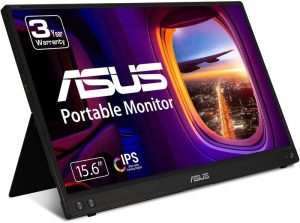 ASUS ZenScreen MB16ACV Best Overall |
$179 | Check Price |
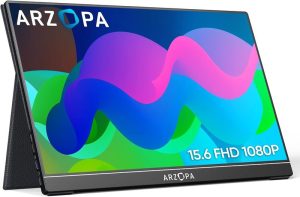 Arzopa A1 Gamut Best Budget |
$110 | Check Price |
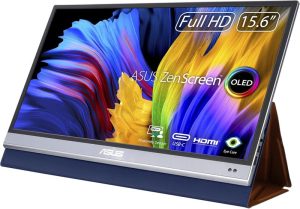 ASUS ZenScreen OLED MQ16AH Best Premium |
$329 | Check Price |
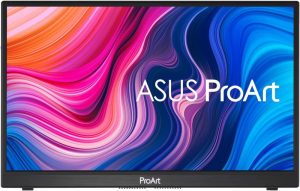 ASUS ProArt PA148CTV Best Touchscreen |
$349 | Check Price |
 UPERFECT Delta Dual Best for Dual-Setup Productivity |
$299 | Check Price |
1. ASUS ZenScreen MB16ACV — Best Overall ($179)

The ASUS ZenScreen MB16ACV is the portable monitor we recommend to nearly every laptop user who asks. It hits the trifecta you actually need on the road: 15.6 inches of 1080p IPS, single USB-C cable for video plus power, and a built-in foldable kickstand that doubles as a tripod mount. There is no fragile cover to lose and no separate power brick to pack.
Image quality is where it pulls ahead of cheaper alternatives. The anti-glare coating tames hotel lamps and cafe windows, and the IPS panel holds color shift well off-axis — useful when you tilt the screen for someone to look over your shoulder. Brightness peaks at 250 nits, which is plenty indoors but will struggle on a sunlit patio.
The real value here is ASUS’s three-year warranty. Portable monitors take abuse — thrown in bags, knocked off cafe tables — and most no-name brands offer 12 months. Three years of coverage from a major manufacturer is genuine peace of mind, and it is the reason this is our top overall pick.
Pros
- Single USB-C cable carries video and power
- Anti-glare IPS panel holds up in bright rooms
- Integrated kickstand with tripod thread
- Only 0.83 kg and 10.5 mm thick
- Three-year ASUS warranty
Cons
- 60Hz only — not for gaming
- 250-nit brightness struggles outdoors
- No built-in speakers
- Mini-HDMI port is awkward without an adapter
2. Arzopa A1 Gamut — Best Budget ($110)
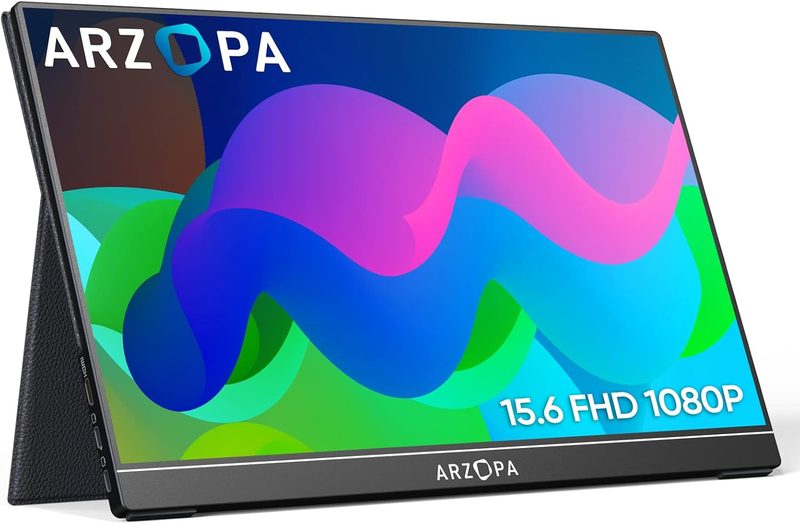
The Arzopa A1 Gamut is the budget pick that does not feel like a budget product. For about $110 you get a 15.6-inch 1080p IPS panel, dual USB-C ports, mini-HDMI, and built-in stereo speakers. It is the cheapest monitor on this list that we would actually recommend to a friend without an asterisk.
Color reproduction is the headline — Arzopa rates it at 100% sRGB, which is genuinely impressive at this price. We would not edit professional photos on it, but for a writer roughing out a draft, a developer reviewing pull requests, or a sales rep showing a deck at a coffee meeting, the picture quality is well past “good enough.”
The smart-cover-style case folds into a stand, which is clever but less stable than ASUS’s metal kickstand. Pack the case carefully — some buyers report the case hinge wearing out before the monitor does. At this price, you can replace it with a third-party stand and still come in cheaper than any other monitor on this list.
Pros
- Lowest price on this list
- 100% sRGB color coverage
- Dual USB-C plus mini-HDMI
- Built-in stereo speakers
- Folding magnetic cover doubles as a stand
Cons
- Cover stand is less stable than a metal kickstand
- Brightness peaks around 220 nits
- Menu controls feel cheap
- Twelve-month warranty (vs three years for ASUS)
3. ASUS ZenScreen OLED MQ16AH — Best Premium ($329)
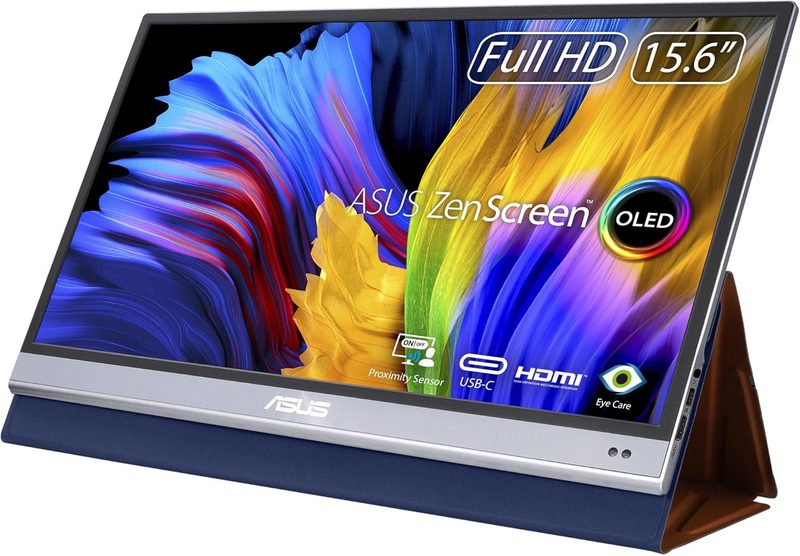
The ASUS ZenScreen OLED MQ16AH is the portable monitor for people who care about how images look. A real OLED panel means per-pixel light control, true blacks, and a contrast ratio quoted at 100,000:1 — numbers that LCD portables physically cannot match. Side by side against any IPS portable, the difference is jarring.
Color performance is what justifies the $329 price. ASUS spec sheets list 100% DCI-P3 and a Delta-E under 2, which is the threshold professional creators use to call a monitor “color-accurate.” For photographers traveling with a MacBook, video editors cutting on the road, or any creator who hates re-grading work after they get home, this is a serious tool.
The HDR-10 support is real HDR, not the marketing kind. You will see actual highlight detail in HDR video that gets crushed on standard portables. The 1-millisecond response time is a side benefit — it makes the monitor capable for casual gaming, even though it tops out at 60Hz. The proximity sensor that dims the screen when you walk away is the kind of polish you only get from premium hardware.
Pros
- True OLED panel with infinite contrast
- 100% DCI-P3 and Delta-E under 2
- HDR-10 with real highlight detail
- 1-millisecond response time
- Proximity sensor and three-year warranty
Cons
- The highest price on this list
- OLED carries a small burn-in risk over years
- 60Hz refresh limits competitive gaming
- Glossier finish reflects more than matte IPS panels
4. ASUS ProArt PA148CTV — Best Touchscreen ($349)
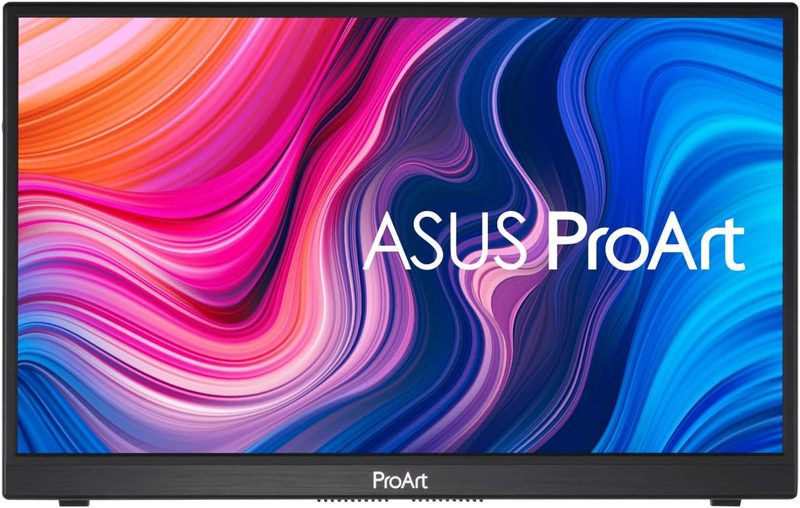
The ASUS ProArt PA148CTV is the only portable monitor on this list with both 10-point capacitive touch and Calman factory calibration. It is also the only one that ships with a physical control dial mapped to Adobe Creative Cloud, Lightroom, and Photoshop shortcuts. For traveling creators, this monitor is in a category of its own.
Touch responsiveness is excellent. Ten-finger multi-touch means you can pinch, zoom, and rotate in design tools the same way you would on a Wacom tablet — without paying Wacom prices. The included virtual control panel software lets you map sliders to common Photoshop and Lightroom adjustments, which is genuinely faster than reaching for the mouse.
The 14-inch panel is smaller than the 15.6-inch options here, which is a deliberate choice — portability matters when you are actually touching the screen, and a smaller panel is easier to mount on a tripod for digital signage, on-set monitoring, or use as a Wacom-style drawing surface. Connectivity is dual USB-C plus micro-HDMI, with power delivery in either direction.
Pros
- 10-point capacitive multi-touch
- Calman Verified factory calibration
- Adobe-mapped physical control dial
- Tripod-mountable for on-set monitoring
- Dual USB-C with two-way power delivery
Cons
- 14-inch panel is smaller than the others
- Premium price reflects the niche features
- Touchscreen surface is glossier
- No stylus included in the box
5. UPERFECT Delta Dual — Best for Dual-Setup Productivity ($299)
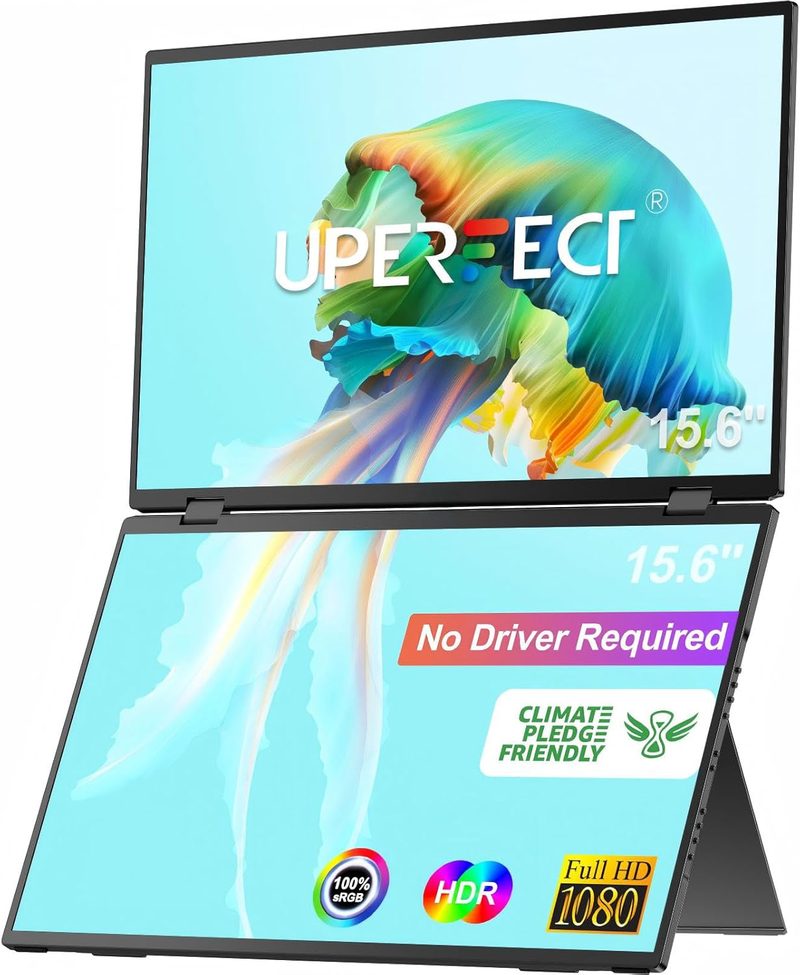
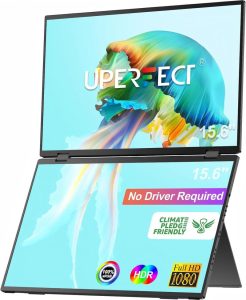
The UPERFECT Delta Dual is the weirdest, most useful portable monitor in the lineup. It is two 15.6-inch 1080p panels that fold together and clip onto the lid of your laptop, giving you a true triple-screen workstation that lives in your backpack. For developers, traders, analysts, and anyone who lives in spreadsheets, this thing is genuinely transformative.
Setup is plug-and-play over a single USB-C cable per panel. No drivers, no display software, no fiddling — macOS, Windows, and Chromebooks all just see two extra displays. The 360-degree hinge means each panel rotates fully, so you can flip one toward a colleague for a screen-share without sending them anything over Zoom.
The compromise is weight and rigidity. At about 3.3 pounds for the assembly, this is the heaviest “portable” monitor on this list, and the clamping system requires a laptop lid sturdy enough to hold the weight. A 13-inch MacBook Air handles it fine; thinner ultrabooks may flex. For a hotel-desk setup, the weight is irrelevant. For genuine cafe-hopping nomads, it is a real consideration.
Pros
- Two real 15.6-inch 1080p panels in one device
- Driver-free plug-and-play over USB-C
- 360-degree hinge per panel
- Folds flat for backpack storage
- VESA-compatible for desktop mounting
Cons
- Heaviest device on this list (~3.3 pounds)
- Requires a sturdy laptop lid to clamp onto
- Bezels between panels are noticeable
- Single USB-C cable per panel means two ports used
- 60Hz refresh only
Side-by-Side Comparison
| ASUS ZenScreen MB16ACV | Arzopa A1 Gamut | ASUS ZenScreen OLED MQ16AH | ASUS ProArt PA148CTV | UPERFECT Delta Dual | |
|---|---|---|---|---|---|
| Price | $179 | $110 | $329 | $349 | $299 |
| Screen Size | 15.6″ | 15.6″ | 15.6″ | 14″ | 15.6″ x 2 |
| Resolution | 1920×1080 | 1920×1080 | 1920×1080 | 1920×1080 | 1920×1080 each |
| Refresh Rate | 60Hz | 60Hz | 60Hz | 60Hz | 60Hz |
| Panel Type | IPS | IPS | OLED | IPS Touch | IPS |
| Weight | 0.83 kg | 0.72 kg | 0.6 kg | 0.6 kg | 1.5 kg |
| Ports | USB-C, Mini-HDMI | 2x USB-C, Mini-HDMI | USB-C, Mini-HDMI | 2x USB-C, Micro-HDMI | 2x USB-C |
| Touchscreen | No | No | No | Yes (10-point) | No |
| Speakers | No | Yes | Yes | Yes | Yes |
| Best For | Daily laptop dual-screen | Tight budget | Color-accurate creation | Touch creators | Triple-screen productivity |
How to Choose the Right Portable Monitor for Your Laptop
Screen Size Considerations
The 15.6-inch panel is the modern default because it roughly matches the screen size of most 15-inch laptops — when you put them side by side, your eyes do not have to refocus. 14-inch panels are noticeably smaller but more travel-friendly, and 17-inch portables exist but cross into bag-bulk territory. If you mostly work from a desk and pack the monitor occasionally, go larger. If you live out of a backpack, 14 inches is the sweet spot.
Resolution and Panel Type
1080p (1920×1080) is the standard for portable monitors and is almost always the right choice — you sit close enough that you can see the pixels on 4K panels, but the extra resolution costs significant battery from your laptop. IPS panels are the default for accurate color and wide viewing angles. OLED panels (like the ASUS ZenScreen OLED) deliver true blacks and better contrast at a premium price. Avoid TN panels — they exist mostly in budget gaming portables and have terrible color shift.
Connectivity: USB-C vs HDMI
USB-C with DisplayPort Alternate Mode and Power Delivery is what you want — one cable carries video and power, simultaneously. Confirm your laptop supports USB-C video output before buying; not every USB-C port does (most Thunderbolt and modern USB-C ports do, but some older budget laptops do not). Mini-HDMI or micro-HDMI is the backup, and you will want a Mini-HDMI to HDMI adapter in your bag for hotel TVs and projectors.
Touch vs Non-Touch
Touchscreen portable monitors (like the ASUS ProArt PA148CTV) are genuinely useful for creators who use Photoshop, Lightroom, or Procreate — the pinch-zoom and direct manipulation feel natural. For everyone else, touch adds cost without much value, and the glossier touchscreen surface reflects more light. Skip touch unless you have a specific creative workflow that benefits from it.
Weight and Portability
Under one kilogram (2.2 pounds) is the threshold for “you will actually pack it.” The ASUS ZenScreen OLED and ProArt PA148CTV both land near 600 grams, which feels weightless in a laptop bag. The UPERFECT Delta Dual at 1.5 kg is the upper limit of portable — still backpack-friendly but you feel it on a long walk. Above 2 kg, you are essentially carrying a desktop monitor.
Power Delivery
Some portable monitors can draw power entirely from the laptop’s USB-C port, which is convenient but eats your laptop battery quickly. Others ship with a power adapter and act as a USB-C hub, charging your laptop while it provides video — this is the ideal setup at a desk. Check whether the monitor supports two-way power delivery (the ASUS ZenScreen and ProArt do) if you plan to leave it plugged in most of the time.
Frequently Asked Questions
Can a portable monitor power from just one USB-C cable?
Yes, if your laptop’s USB-C port supports DisplayPort Alternate Mode and provides enough Power Delivery wattage (most modern Thunderbolt 3 / Thunderbolt 4 / USB-C ports do). One cable carries both video and power. The catch: powering a 15-inch monitor from your laptop battery cuts laptop runtime by 30-50%. For long sessions, plug the monitor into a wall adapter and let it pass power to the laptop instead.
Does a portable monitor work with a Mac (MacBook Air or MacBook Pro)?
Yes. All five monitors on this list are plug-and-play with macOS over USB-C — no drivers, no apps, no permission prompts. The MacBook Air M-series and MacBook Pro both support external displays over USB-C with full Power Delivery. macOS will detect the monitor instantly and offer Mirror or Extend mode in System Settings > Displays.
Are portable monitors good for gaming?
For casual gaming, yes — any of the 60Hz IPS panels here will run Steam Deck, Nintendo Switch, or Xbox Series X output cleanly. For competitive FPS gaming, you want a 144Hz or 240Hz portable monitor (the Arzopa Z1FC is a 16.1-inch 144Hz alternative). The ASUS ZenScreen OLED’s 1-millisecond response time helps in any game with fast motion, but its 60Hz refresh ceiling rules it out for serious esports.
Will a portable monitor drain my laptop battery faster?
Yes, noticeably — expect 30-50% shorter laptop battery life when the monitor draws power over USB-C. The workaround is to plug the monitor into a wall adapter and let it pass power back to the laptop (two-way power delivery, supported by the ASUS ZenScreen MB16ACV and ProArt PA148CTV). With this setup, the monitor actually charges your laptop instead of draining it.
What is the difference between a portable monitor and a tablet running as a second screen?
A portable monitor is a dedicated display with no operating system, no battery, and no separate apps — you just plug it in and it works as a true second monitor in macOS or Windows. A tablet (like an iPad running Sidecar or Duet Display) is a full computer with its own apps, battery, and latency. Portable monitors are lower-latency, simpler, and cheaper per inch. Tablets are more versatile if you already own one.
The Verdict: Which Portable Monitor Should You Buy?
For most laptop users, the ASUS ZenScreen MB16ACV is the best portable monitor for laptops in 2026. It hits the everyday sweet spot: 15.6-inch IPS at 1080p, single USB-C cable for video plus power, a sturdy metal kickstand with tripod mount, and a three-year ASUS warranty that no budget brand can match. At $179 it is not the cheapest, but it is the one you will still be using in 2029.
Choose the Arzopa A1 Gamut if you want a portable monitor for under $115 and can live with a 12-month warranty. Get the ASUS ZenScreen OLED MQ16AH if color accuracy and HDR-10 matter for photo or video work. The ASUS ProArt PA148CTV is the only sensible pick for creators who want touch and a hardware control dial. And the UPERFECT Delta Dual is the move if you want a portable triple-screen workstation for spreadsheets, coding, or trading.